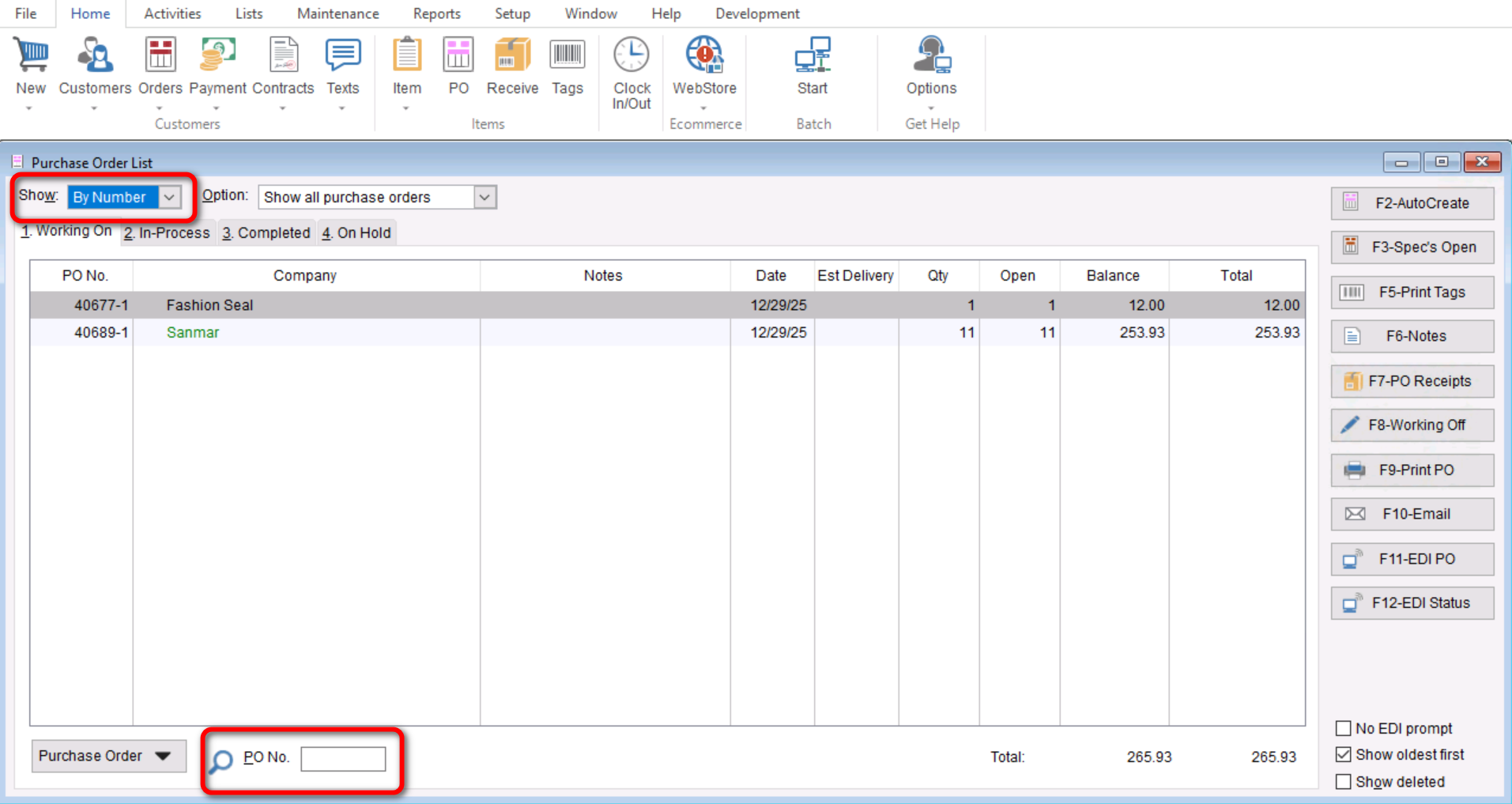
This Article will cover how to view your “Purchase Order List” by either Date, PO Number or By Vendor. This can be helpful when you want to filter your list to only show relevant information or to make sure the information you are looking for shows at the top of your list.
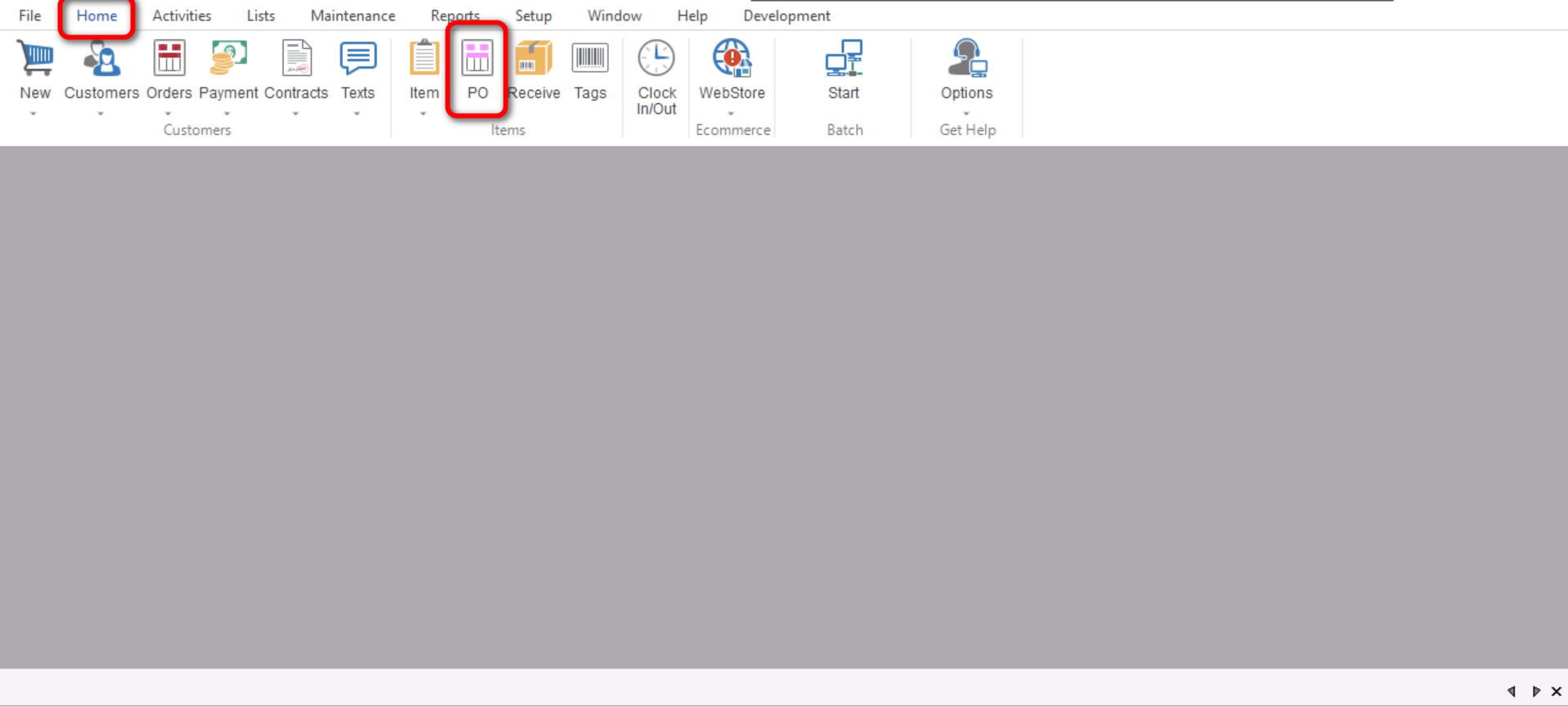
- You will start by going to “Home>PO”. This will open your “Purchase Order List”
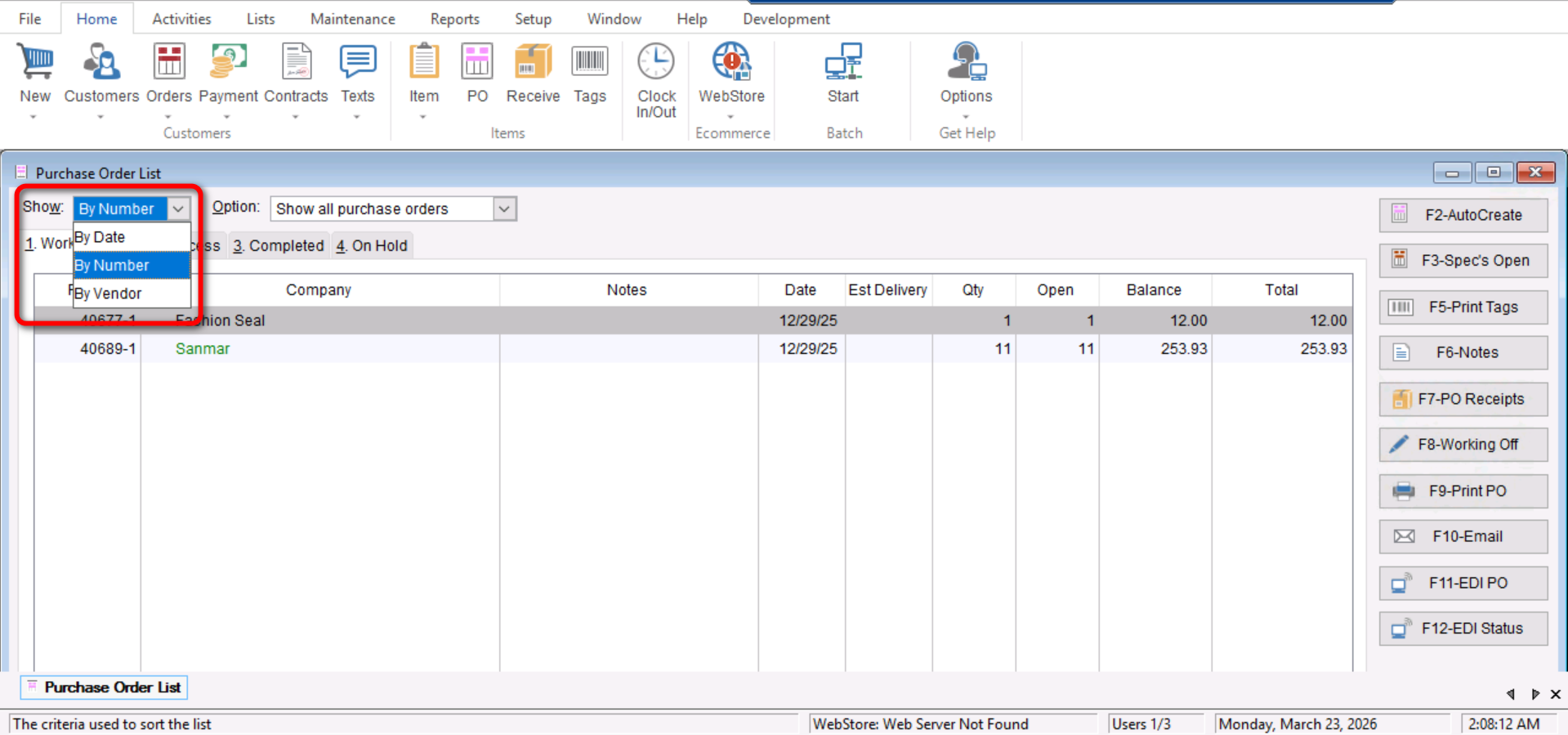
- Once your “Purchase Order List” is opened you will select the drop down menu next to the “Show” option which will show you the options to view purchase order “By Date”, “By Number” or “By Vendor”.
- Once you have selected your desired option you can search using that facet at the bottom of your screen.