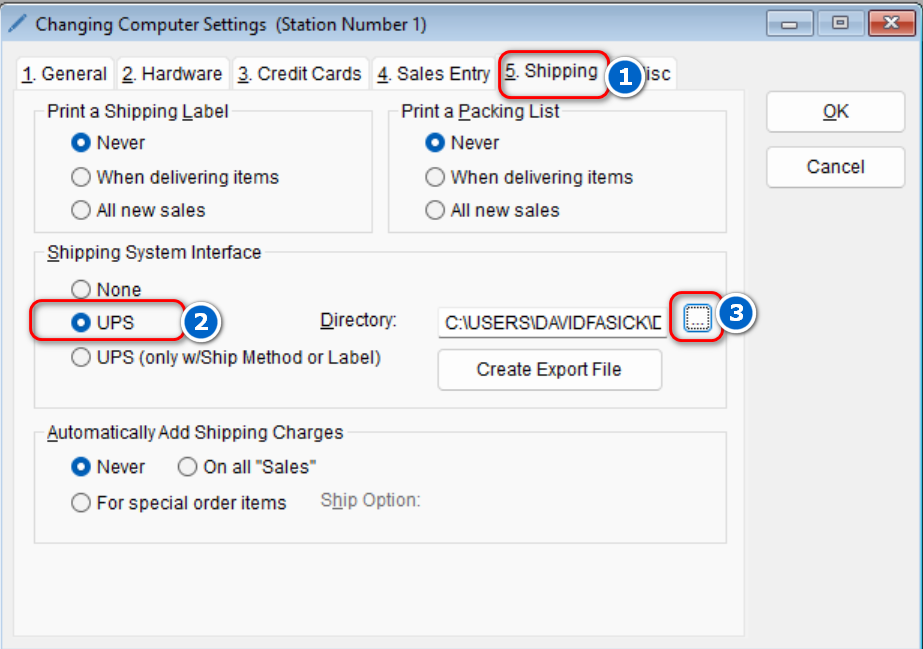
The program can easily be configured to work with the UPS Shipping System Interface.
-
- Get started by going to: Setup > This Computer
- Select the Shipping tab > Under the “Shipping System Interface” section, select UPS > In the Directory field, use the “…” box to navigate to the desired directory
- An export file can also be created by selecting the Create Export File button
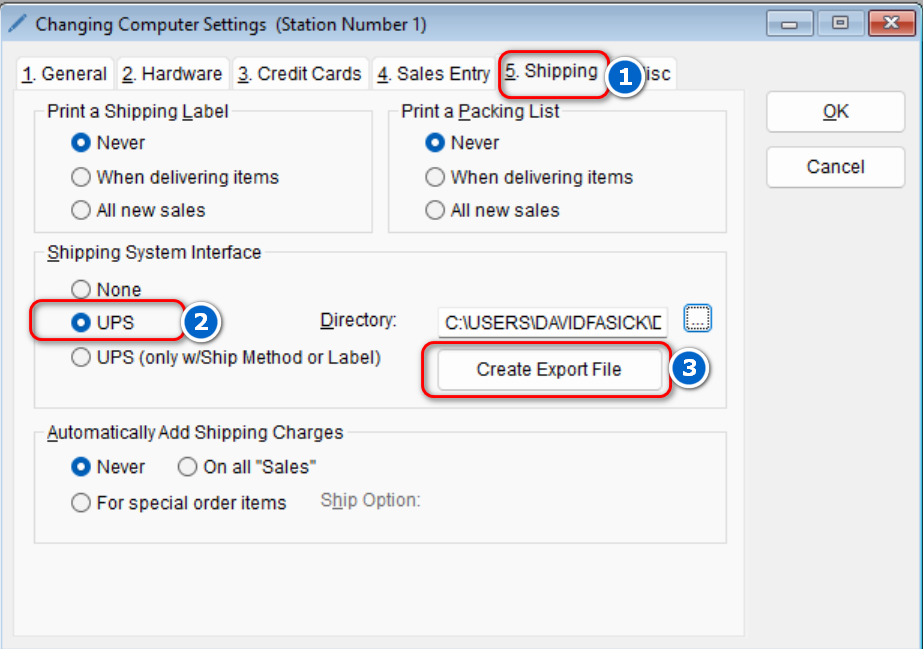 A “ups.csv” file will need to be created beforehand for this to be successful
- Once the proper directory is selected, select OK to save this change
- Get started by going to: Setup > This Computer