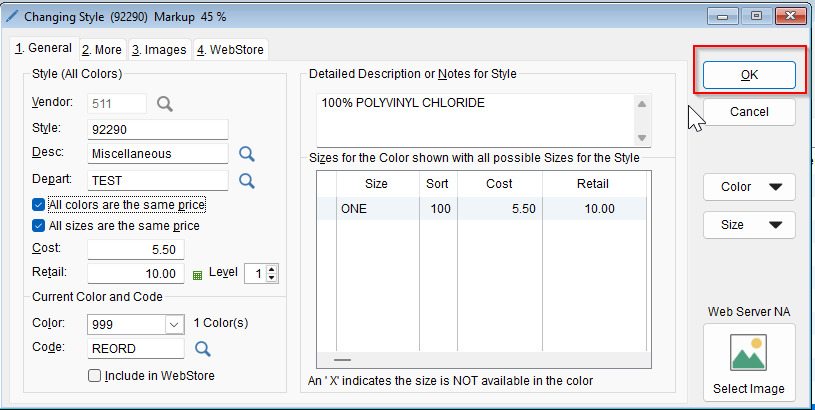
To assign a style to a department,
-
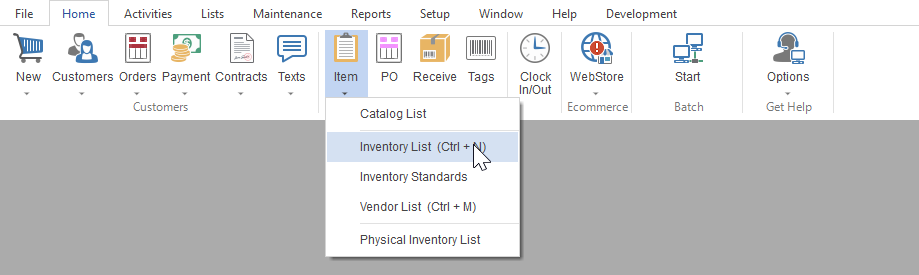
- Select Home tab then Item icon in the program’s toolbar. Now select Inventory List
-
- Locate the desired style and then double click into that item.
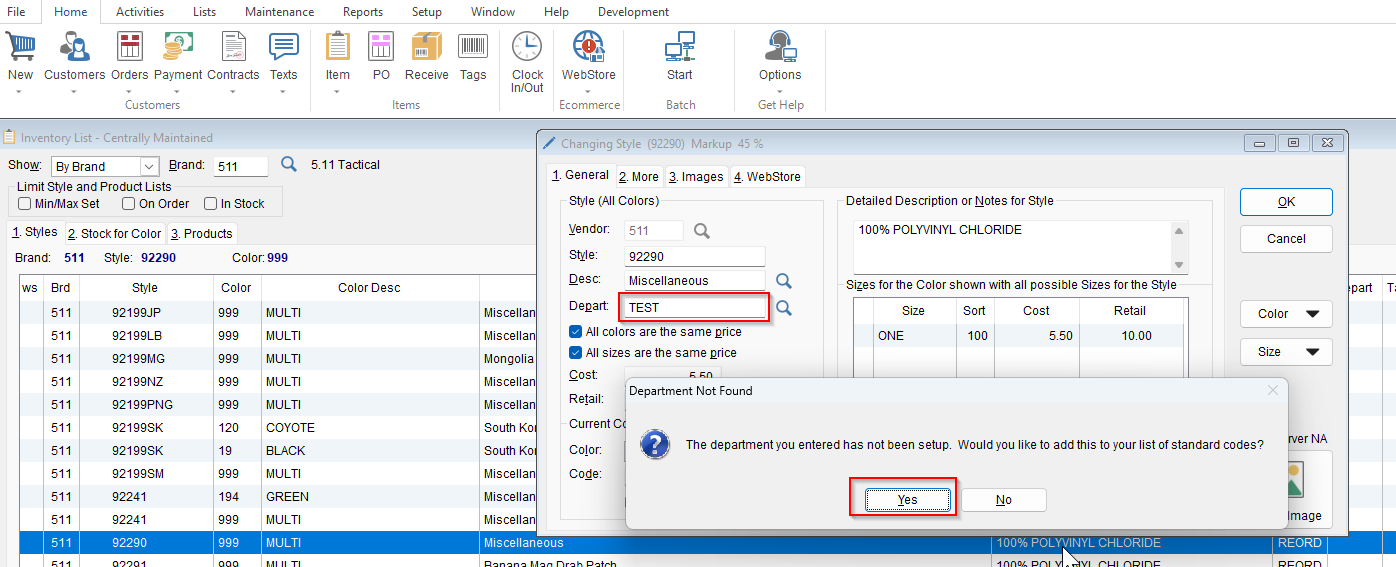
- Highlight the department field and enter in your department code (up to 5 characters)
- If this is your first time adding that depeartment code, you will get a prompt stating the department does not exist. You will select yes.
- If you already created the department code skip to the last step.
-
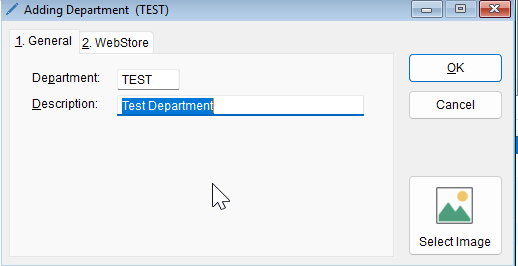
- Type in your department description and then click OK.
- Select OK to save this change
- Type in your department description and then click OK.