
Each workstation in your store must be assigned a unique Station Number. This number allows the program to differentiate between computers using The Uniform Solution and is required for proper operation, reporting, and device assignment.
✅ How to Assign a Station Number
1. Open the Station Number Settings
Go to: File > Station
This will open the Please Enter a Unique Station Number window.
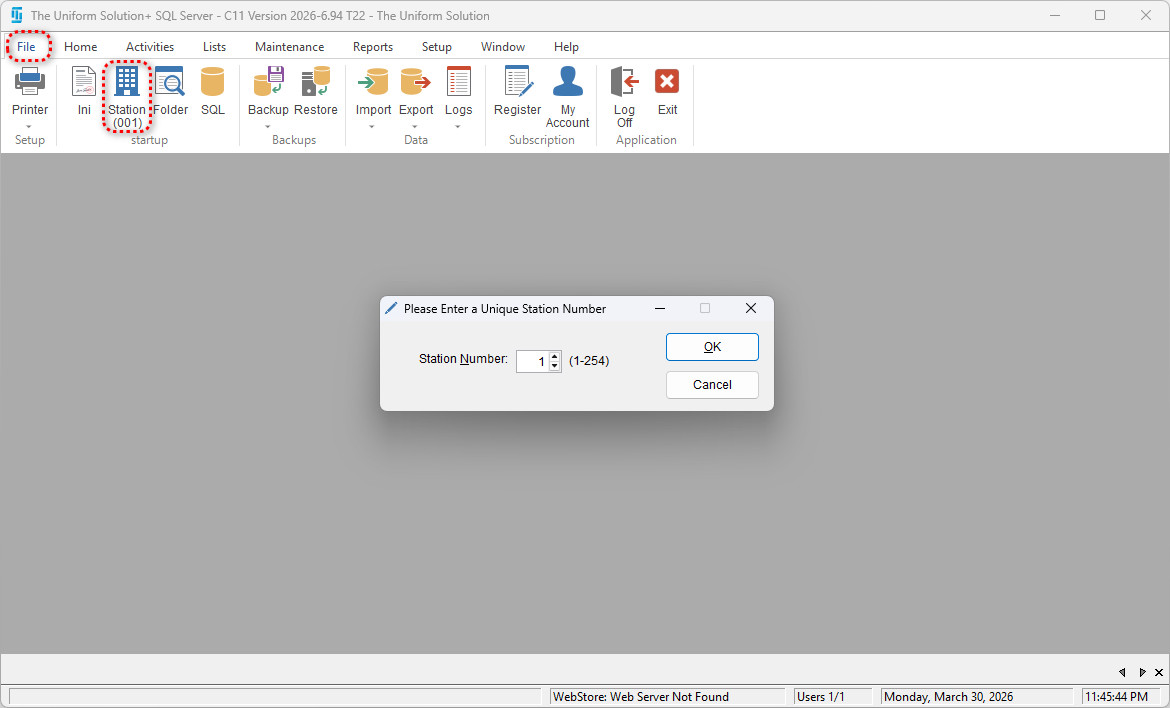
2. Choose Your Station Number
- You may enter a Station Number between 1 and 254.
- If the number you choose is already assigned to another workstation, the system will not allow you to use it.
After selecting the number, click OK to save your changes.
✅ If the Station Number Has Already Been Used
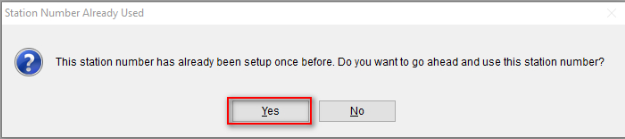
If the Station Number was previously assigned on this computer, a message will appear informing you that it has been used before.
- If you still want to use that number, select Yes.
- If not, select No and choose a different number.
✅ Additional Notes & Best Practices
- Every computer must have a different Station Number.
Duplicate station numbers can cause issues with cash drawers, printing, and device routing. - If you replace a computer, you can reuse the original station number to keep setup consistent.
- You can view or change the current station number anytime by going to:
File > Station Number - Station Numbers are local to each workstation and not tied to logins or user records.