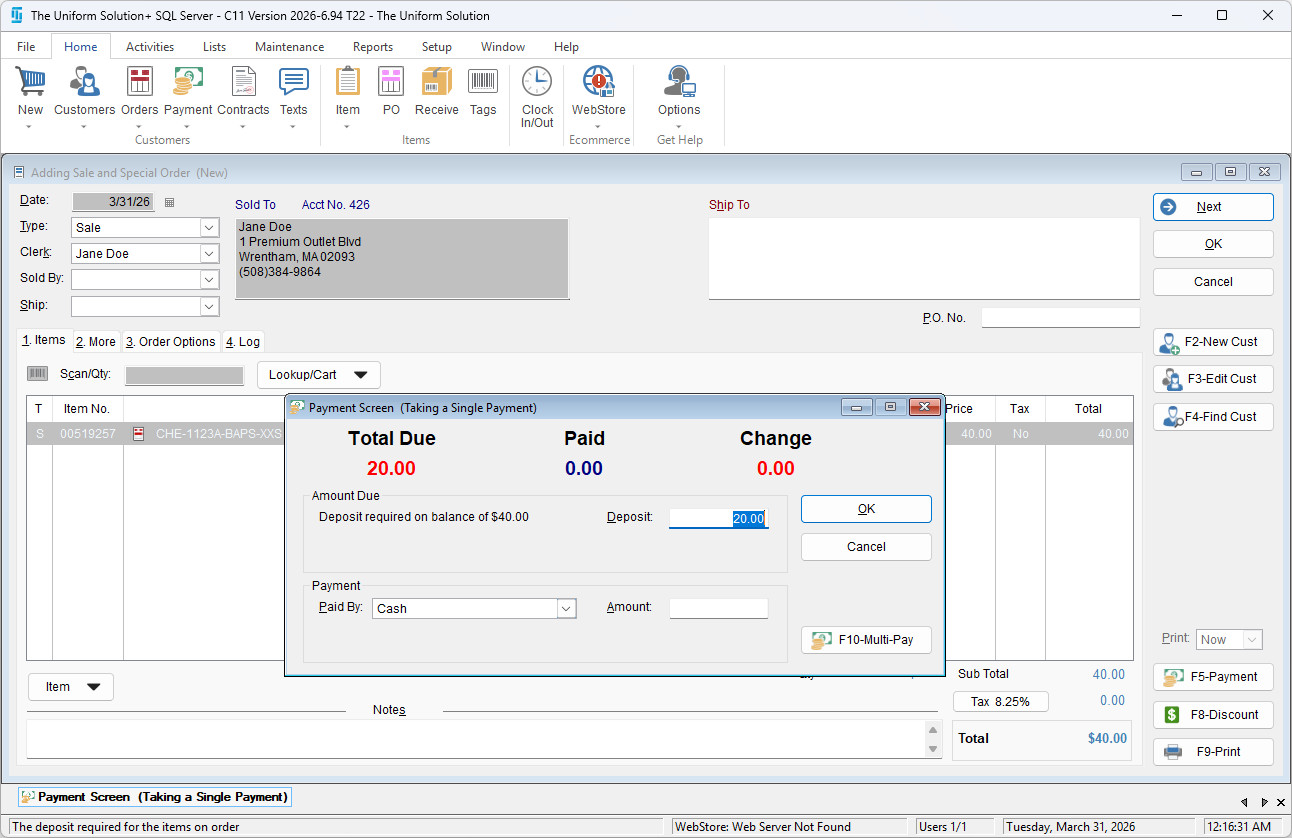
The Uniform Solution allows you to set a required deposit percentage for both Layaways and Special Orders. These deposits help ensure that customers commit to their purchase and reduce the risk of unclaimed items.
✅ How to Adjust Required Deposits
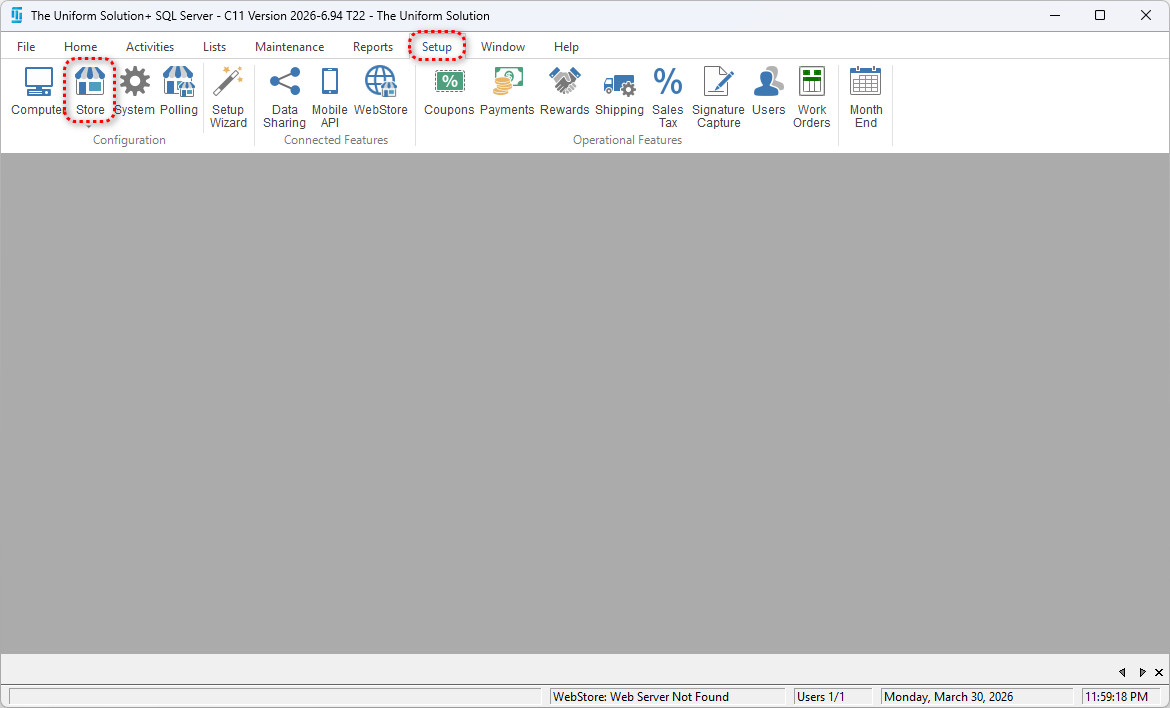
1. Navigate to Store Settings
Go to: Setup > Store
2. Open the Pricing Tab
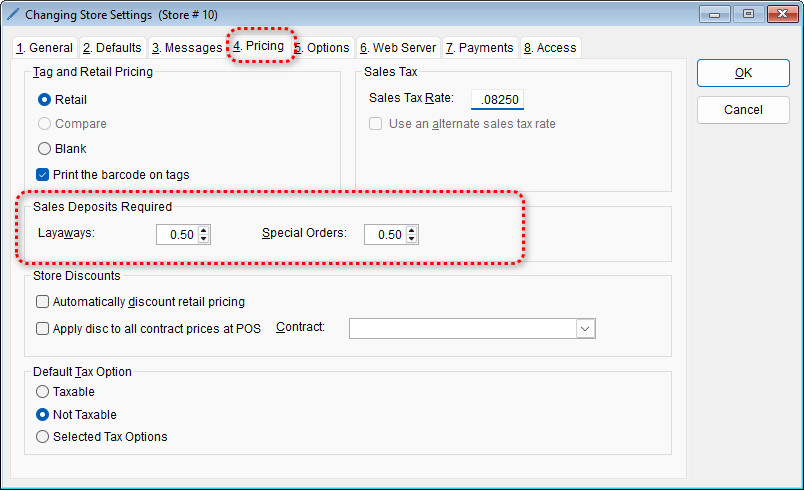
Select the 4. Pricing tab.
3. Adjust Deposit Percentages
Under Sales Deposits Required, you will see two fields:
- Layaways
- Special Orders
Use the arrow controls or enter a number directly to set the percentage (%) of the invoice total required as a deposit.
For example:
- A value of 0.50 = 50% deposit
- A value of 0.25 = 25% deposit
- A value of 1.00 = 100% deposit (full payment upfront)
✅ Saving Your Changes
After entering your desired percentages:
- Click OK to apply the changes.
✅ Additional Information & Best Practices
Why Use Deposits?
Deposits protect your business by:
- Reducing abandoned layaways
- Ensuring commitment on special orders
- Covering vendor restocking fees (special orders)
- Minimizing inventory hold issues
What Happens at Checkout?
When creating a Layaway or Special Order:
- The system automatically calculates the required deposit.
- POS will prompt staff to collect at least that amount before completing the transaction.