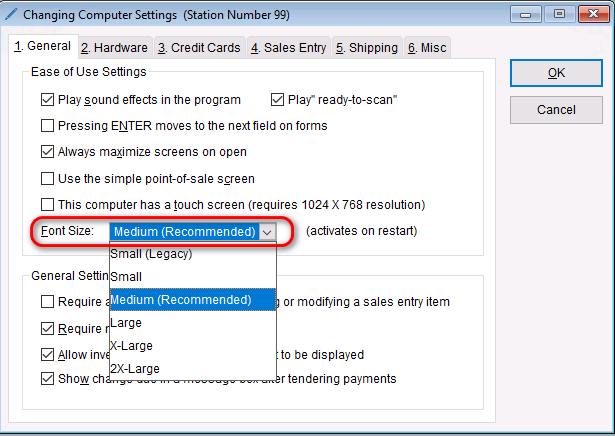
Change Font Size To change the font size in the program, Go to: Setup > Computer On the General tab under “Ease of Use Settings” select the drop-down next to Font Size Select the desired font size. Select OK to save your changes. Note Changes to the font will not take effect until the program is restarted. Related Updated on February 12, 2026 Tagged: Change fontFontfont size Was this article helpful? Yes No Related Articles Creating a Non‑Integrated Payment Method (Outage Recovery) How Do I specify or Change the Backup Location? How to Add Inventory Using QuickLoad or Receiving Lists Adding or Updating a New Vendor Catalog to Your Catalog List Adjusting Required Deposits for Layaways and Special Orders Assign a Unique Station Number