-
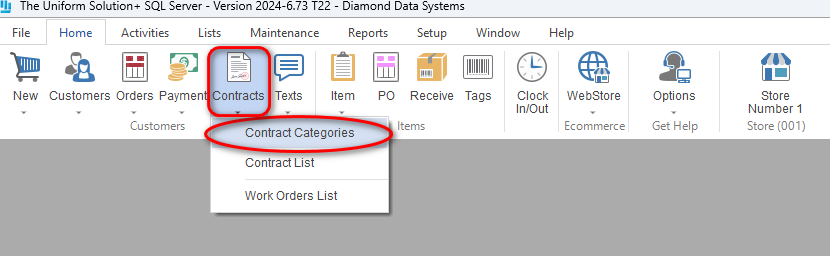
- Go to: Home > Contracts > Contract Categories
- Go to: Home > Contracts > Contract Categories
-
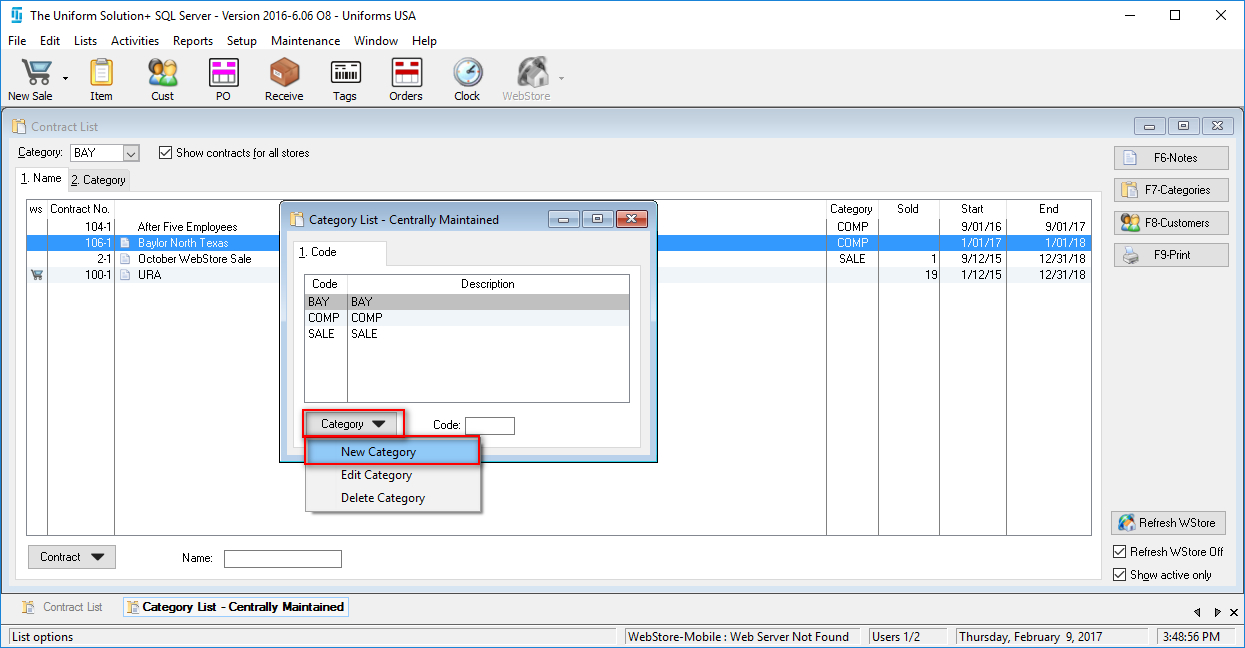
- Select Category > New Category
- In the Category field, enter the short code used to identify the category
- In the Description field enter the full name of the category
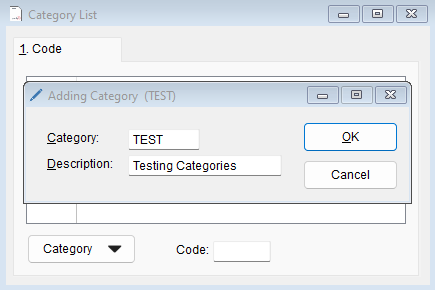
- Select OK to save this new category
- Select Category > New Category
-
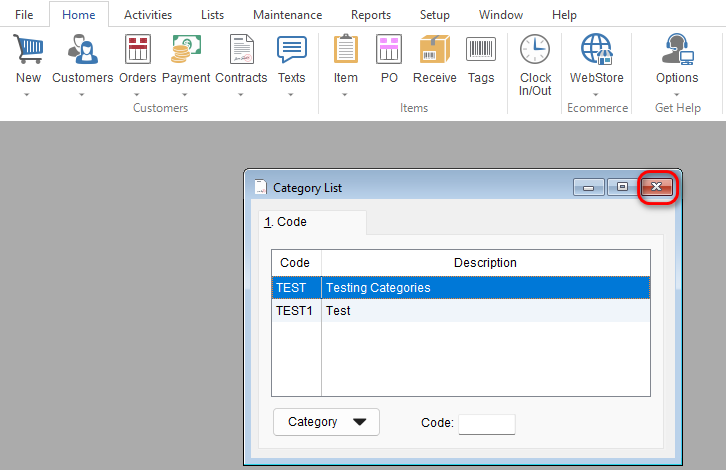
- Select the X at the top of the Category List screen to close it
- Select the X at the top of the Category List screen to close it