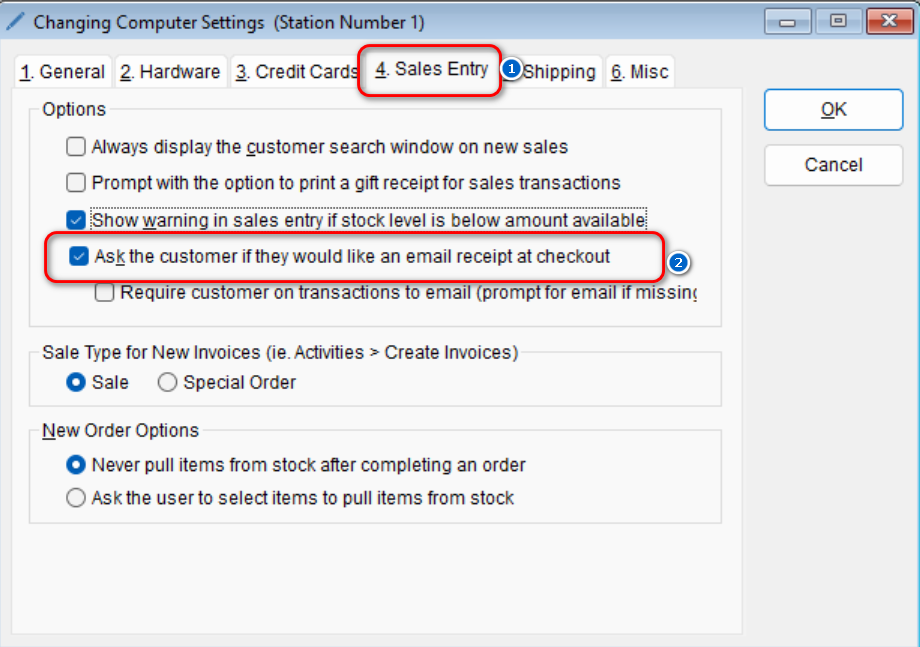
The program can quickly be setup to show a prompt asking if the customer would like their receipt emailed to them during a sales entry transaction. If you would like to turn on/off this feature,
- Go to: Setup > This Computer

-
- Select the Sales Entry tab > Check/uncheck the option that reads Ask the customer if they would like an email receipt at checkout
- Select OK to save this change
- Select the Sales Entry tab > Check/uncheck the option that reads Ask the customer if they would like an email receipt at checkout