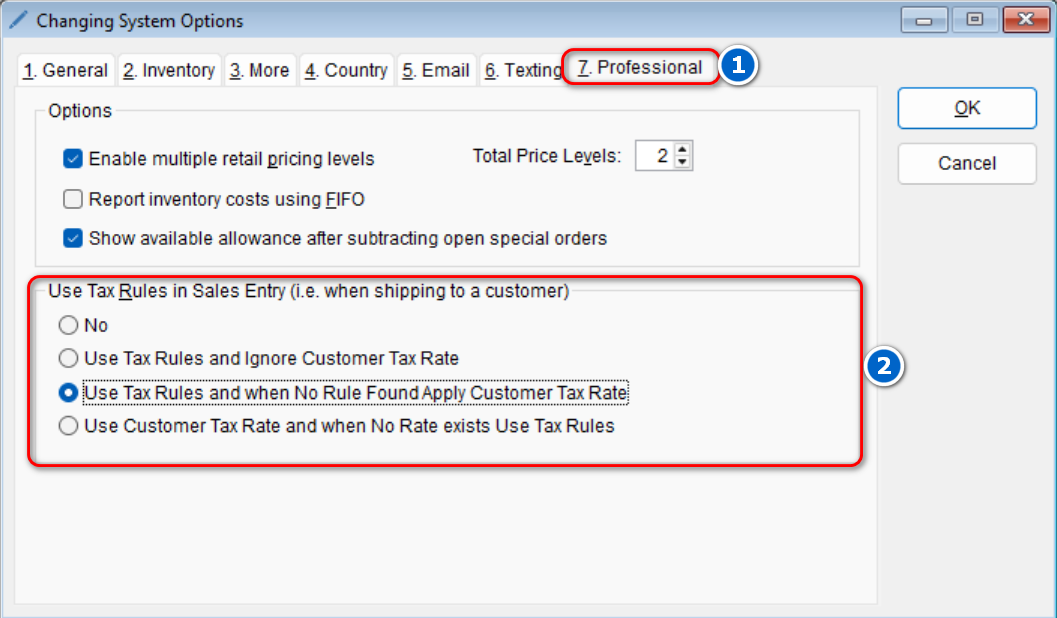
The program can be configured to override typical tax rules when shipping to a customer. To configure this setting,
-
- Go to: Setup > System
- Select the Professional tab > Under the “Use Tax Rules in Sales Entry (i.e. when shipping to a customer) section, select the desired option
- Select OK to save this change
- Go to: Setup > System