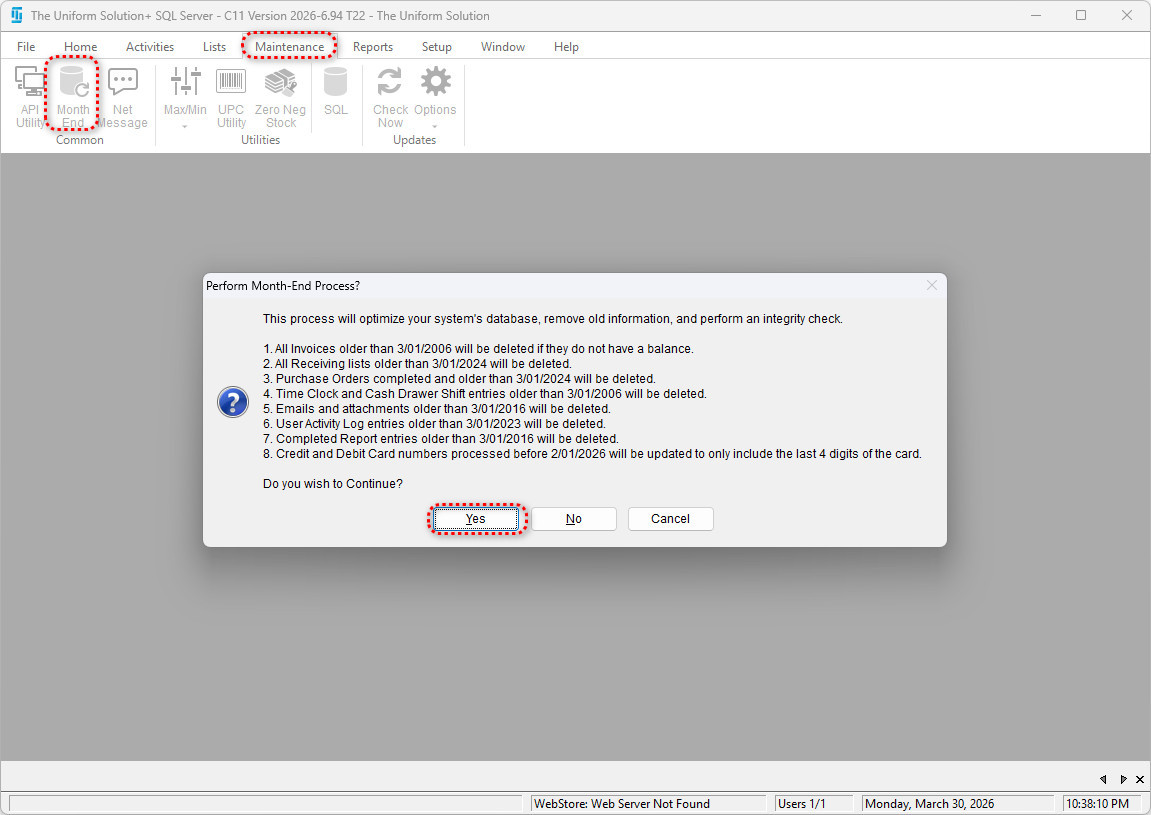
✅ What the Month-End Process Does
The Month-End Process should be performed at the beginning of each new month.
The system will:
- Remove old invoices (based on your settings)
- Delete old purchase orders
- Delete or archive receiving lists
- Delete old time clock entries and drawer shifts
- Delete old emails
- Clean up user activity logs
- Delete historical completed reports
- Perform an internal integrity check on:
- Stock levels
- On-hold quantities
- Order quantities
- Other internally tracked data
This process removes clutter, optimizes performance, and ensures that only relevant, up‑to‑date information remains in the system.
✅ How to Open the Month-End Settings Form
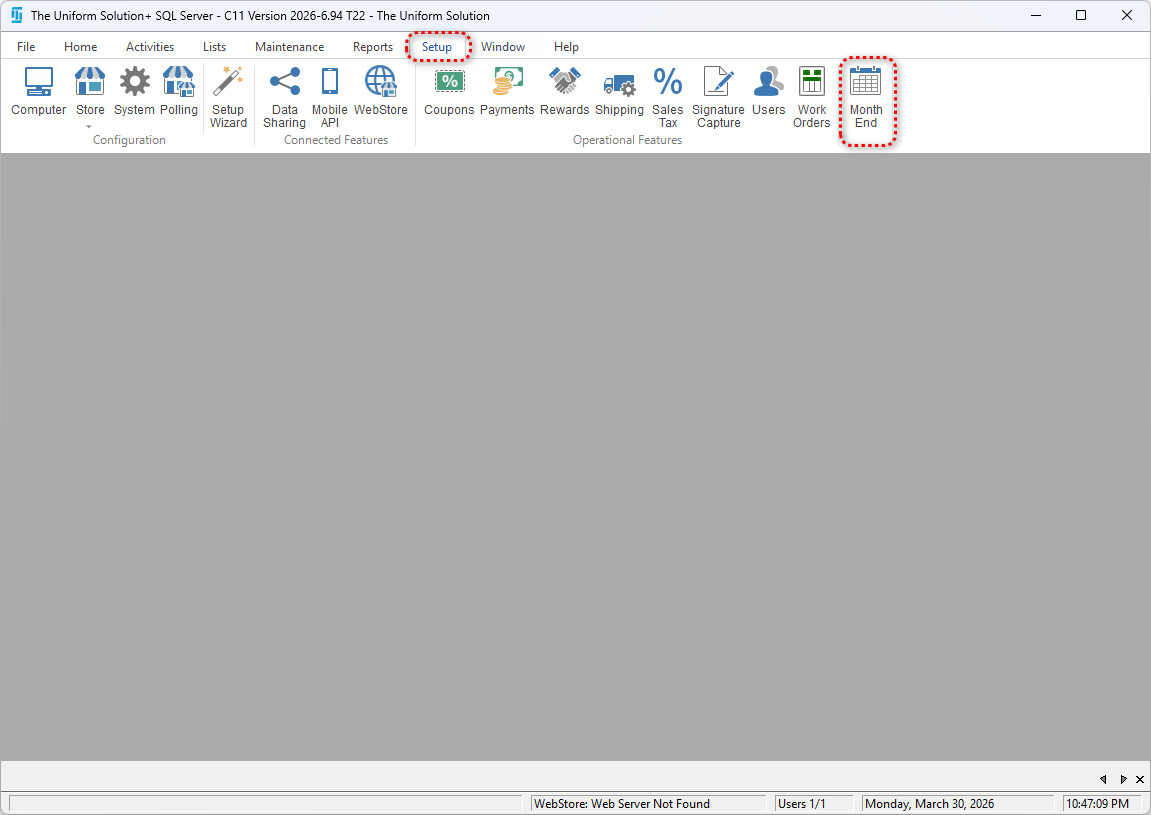
- Go to Setup > Month-End.
- The system will display a warning message explaining what the Month-End Process does.
- Select Yes to continue into the settings.
✅ Understanding the Month-End Settings Screen
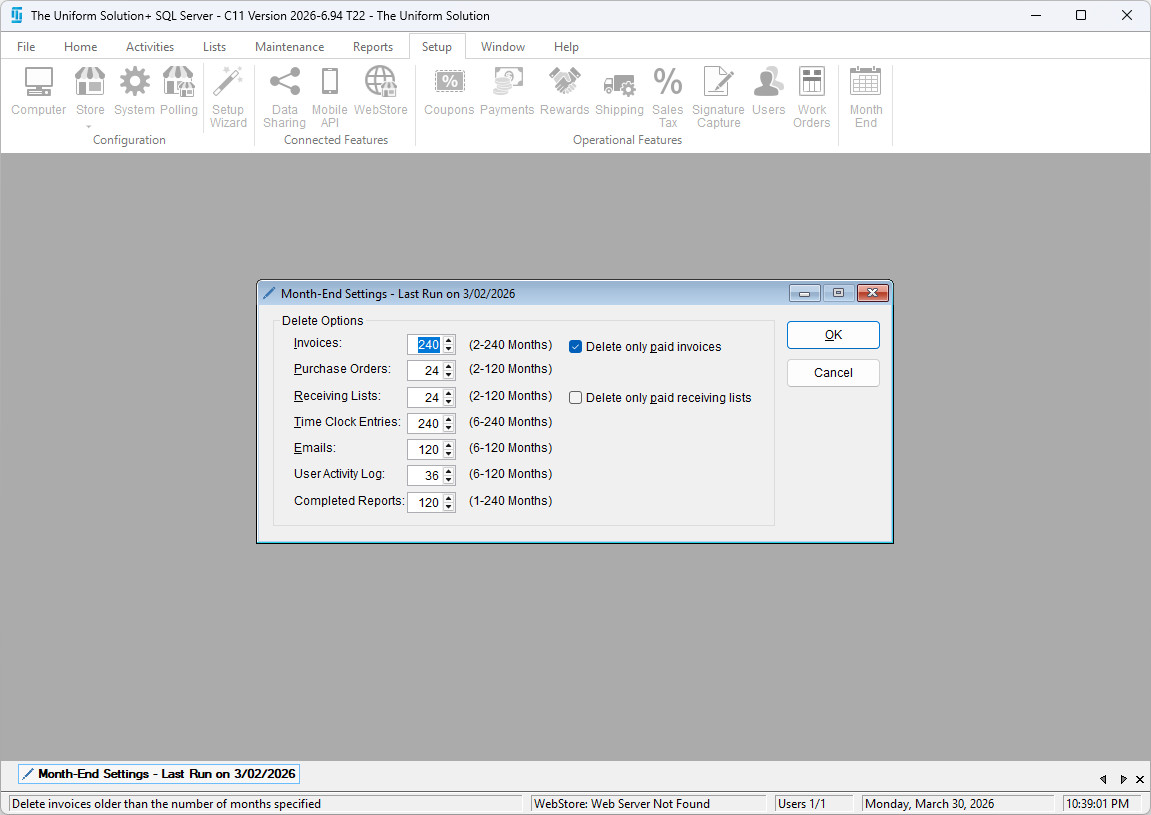
The Month-End Settings Form allows you to customize exactly how far back the system should keep information before deleting it.
You will see settings for:
- Invoices
- Purchase Orders
- Receiving Lists
- Time Clock Entries
- Emails
- User Activity Log
- Completed Reports
Each field uses a spinner box to set the number of months to retain.
Example:
If Invoices = 24 months, any invoice older than 24 months with no remaining balance will be deleted.
✅ Key Settings Explained
1. Delete Options
You can choose whether the system should:
- Delete only paid invoices
→ Useful if you want to keep unpaid invoices indefinitely.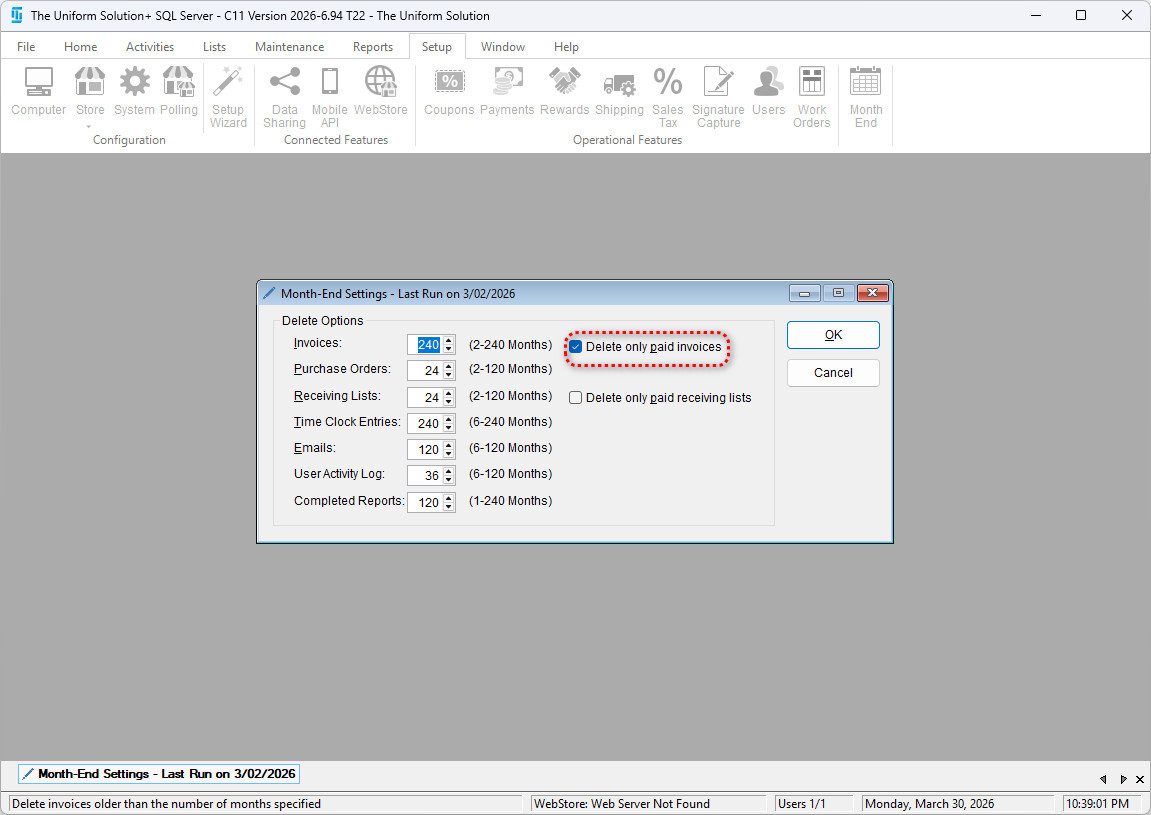
- Delete only paid receiving lists
→ A receiving list will only be deleted if its corresponding AP invoice has been marked as paid.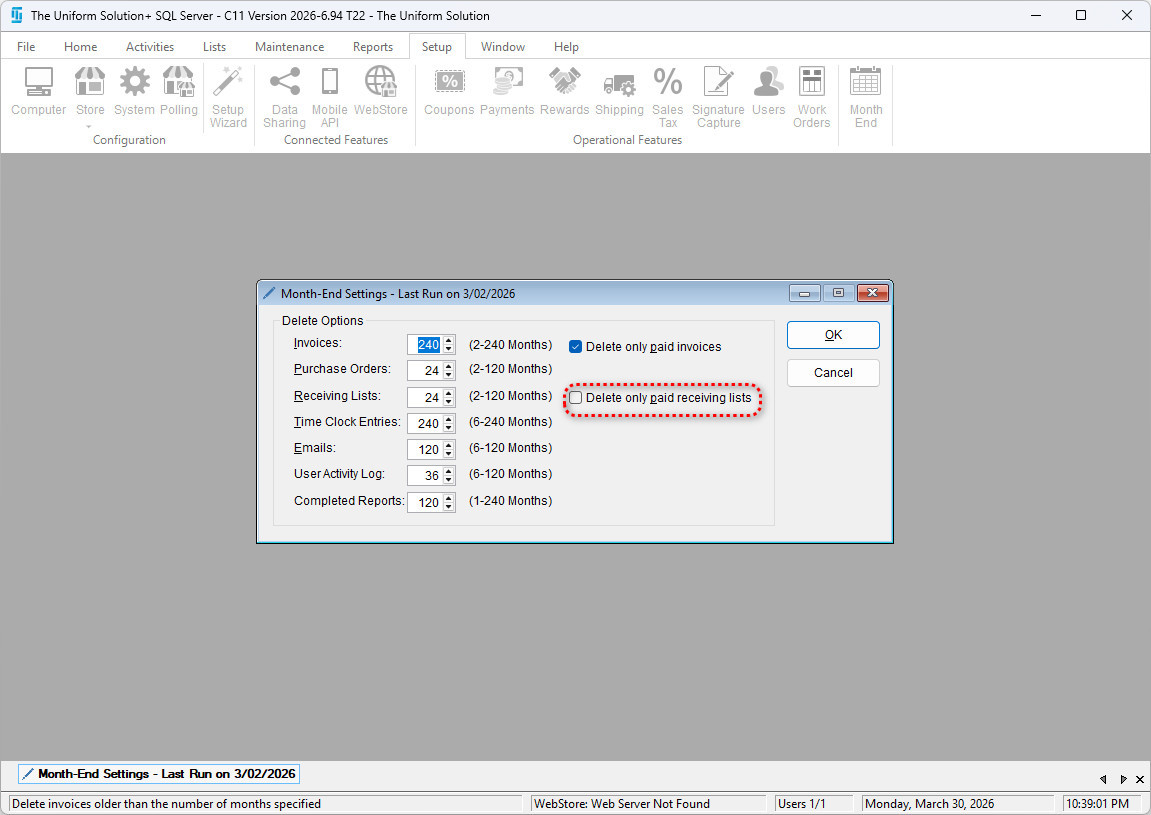
These checkboxes help prevent removing records still tied to incomplete workflows.
2. Purchase Orders
Set the number of months to retain older purchase orders.
Any PO older than that value will be permanently removed.
3. Receiving Lists
Choose how long receiving lists should be kept (2–60 months).
If a receiving list is old enough to delete but has not been updated as paid, it will not be deleted when “Only delete paid receiving lists” is checked.
4. Time Clock Entries & Drawer Shifts
Older time clock entries and cash drawer shifts are deleted according to your specified timeframe.
5. Emails
Any email older than the number of months specified will be removed during month-end cleanup.
6. User Activity Log
Controls how far back employee activity history is retained.
7. Completed Reports
Removes old reports that have been archived by the system.
✅ Saving Your Settings
After selecting your retention values:
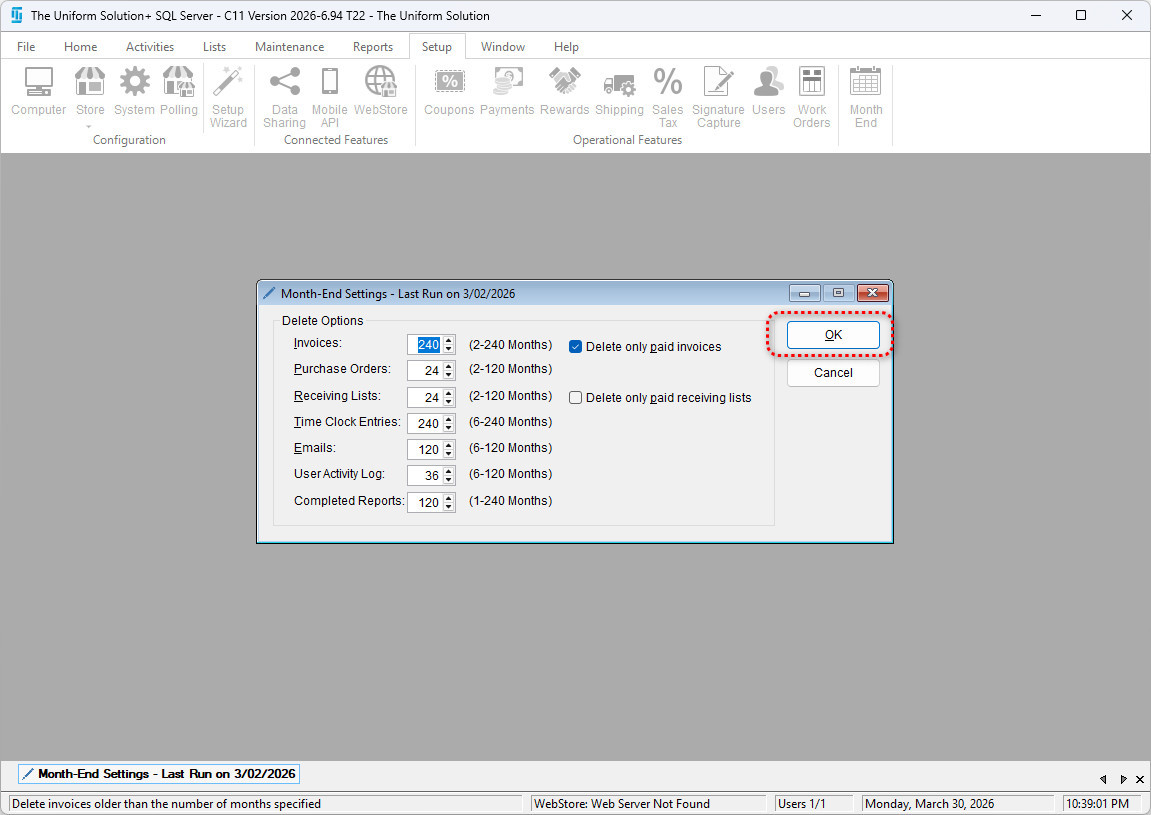
- Click OK to save your changes.
- Click Cancel to exit without saving.
✅ Running the Month-End Process
Once settings are configured:
- Navigate again to Maintenance > Month-End.
- A confirmation window outlines exactly what will be cleaned based on your settings.
- Review the list carefully.
- Click Yes to perform the Month-End Process.