This article explains how to add Primary and Secondary Notes to an existing contract. Notes are used to document contract-specific information such as scope details, communication history, change clarifications, or internal reminders. Proper use of notes helps ensure consistency, visibility, and accurate recordkeeping.
To add a notes to a contract,
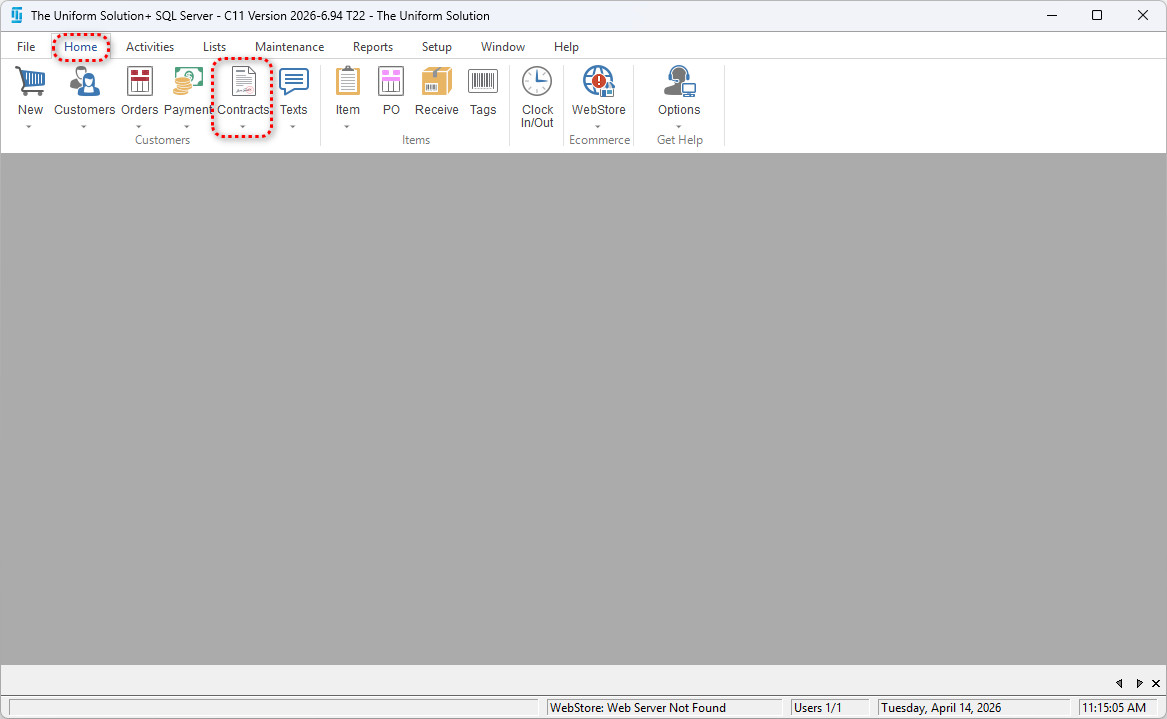
- Go to: Lists > Contracts
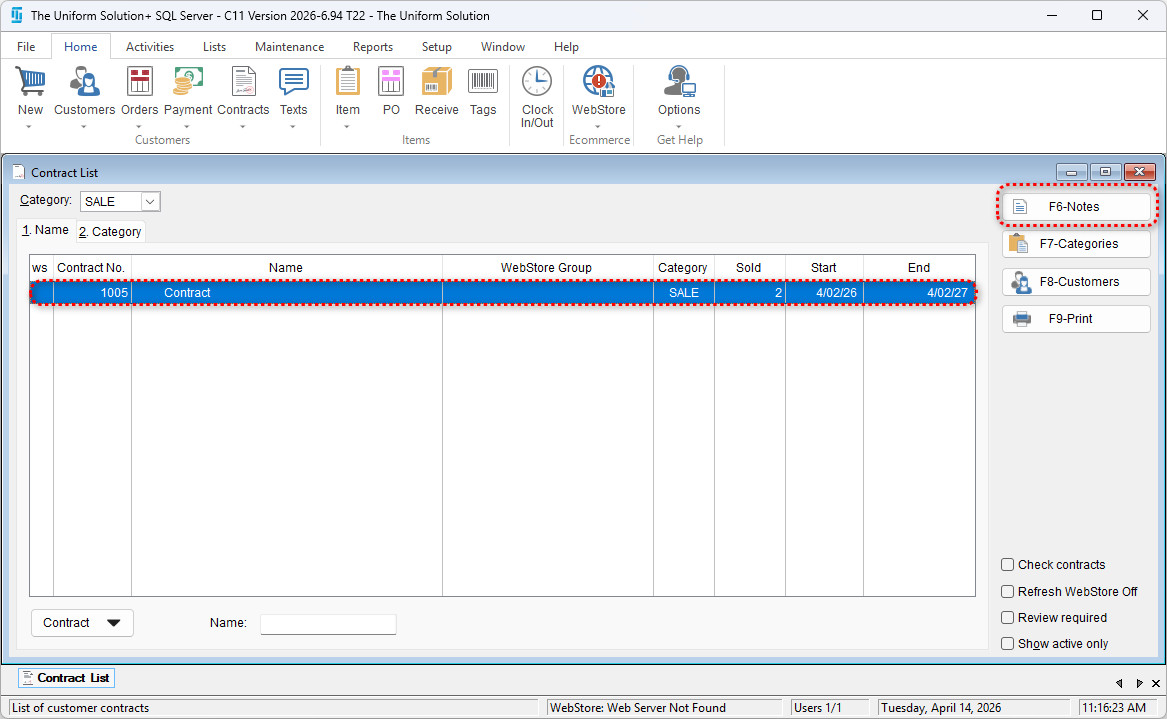
- Highlight the desired contract and select F6-Notes
- Enter any primary notes in the Primary Section
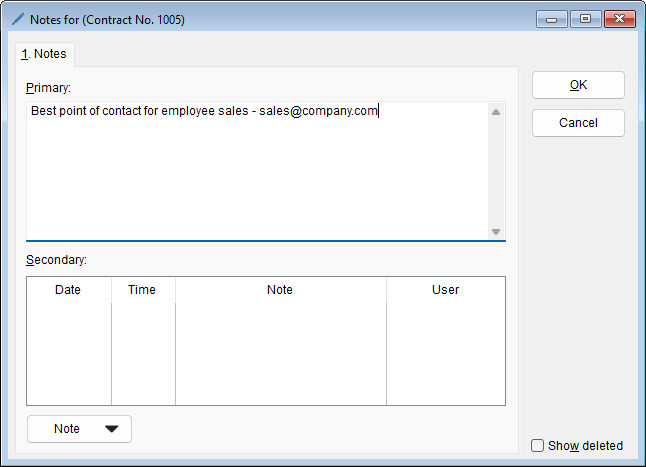
Note: The primary notes field is not time stamped – it is used for general information.
Example uses:
- Contract overview
- Special terms or conditions
- Important status updates
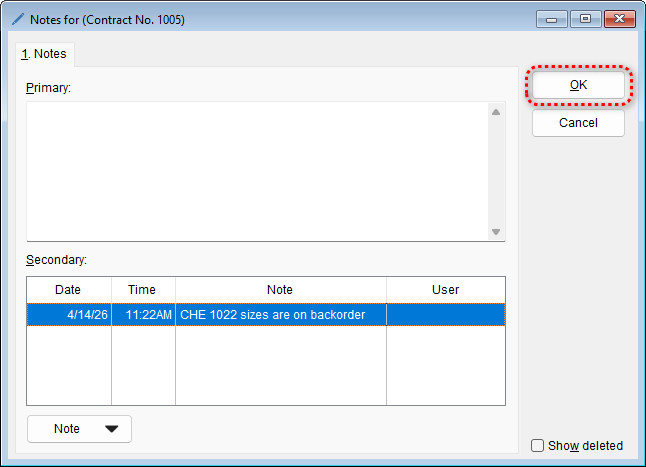
- Enter secondary notes by selecting Note > New Note
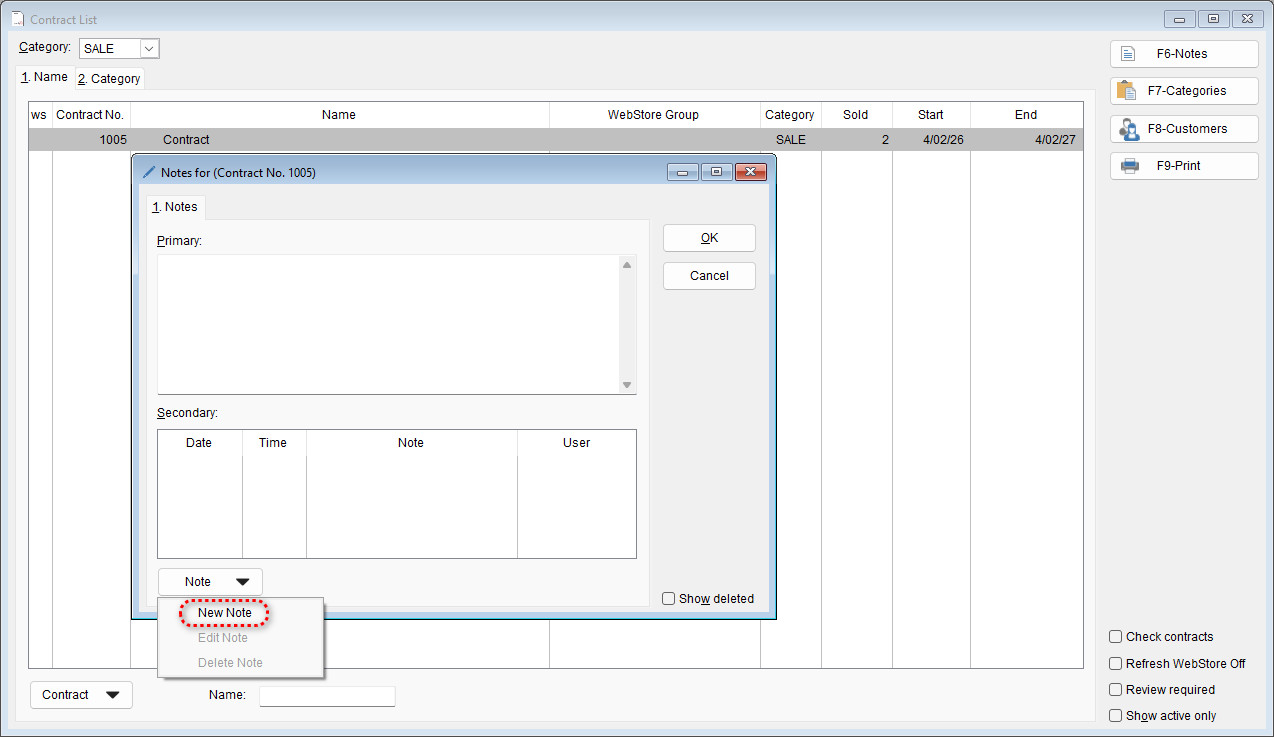
- Note: Secondary notes are used for additional details or time-stamped entries, such as updates or internal communication.
Common uses:
- Follow-up actions
- Communication logs
- Internal reminders
- Note: Secondary notes are used for additional details or time-stamped entries, such as updates or internal communication.
- Enter the desired note and select OK to save it
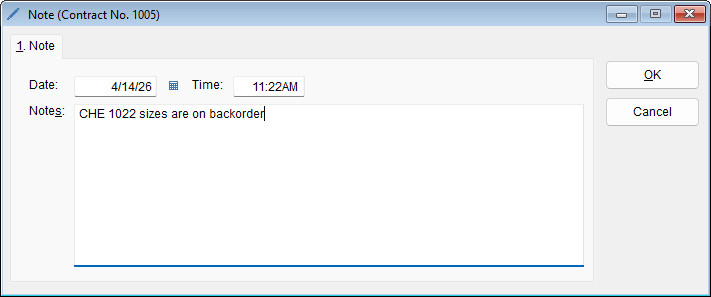
- Select OK again to save your notes