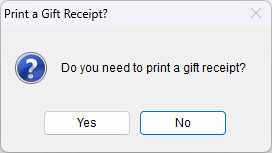
Printing a gift receipt is a small but meaningful customer service feature. This article explains how to configure your system to prompt for gift receipt printing during sales transactions.
Steps to Enable Gift Receipt Prompt
- Setup > This Computer

- Select the 4. Sales Entry tab
- Check the box next to the option that says Prompt with the option to print a gift receipt for sales transactions
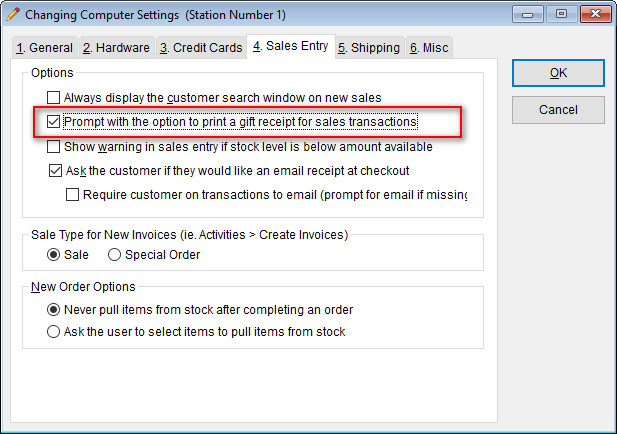
- Select OK to save this change.
Result
Once this option is enabled, the system will prompt you during sales transactions, giving you the option to print a gift receipt whenever needed.