To quickly print tags for a Vendor,
-
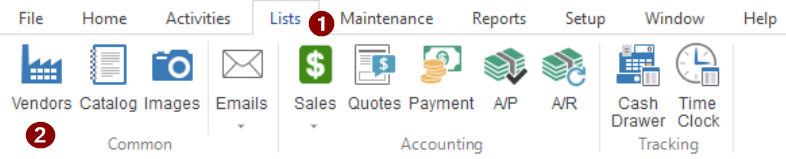
- Go to: Lists > Vendors
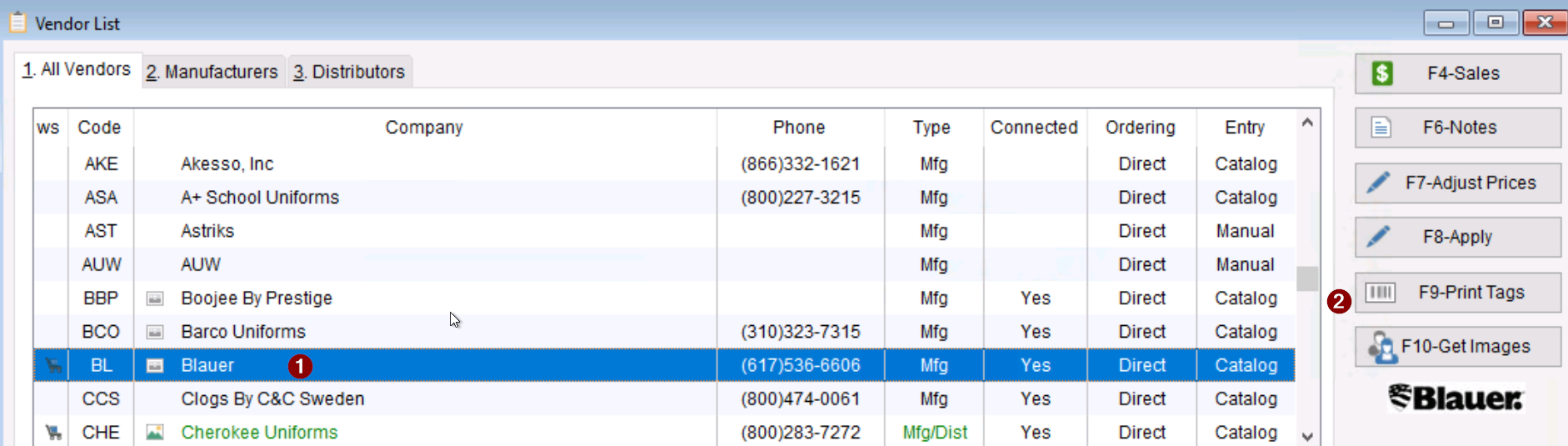
- Highlight the desired vendor
- Select F9-Print Tags
- Go to: Lists > Vendors
-
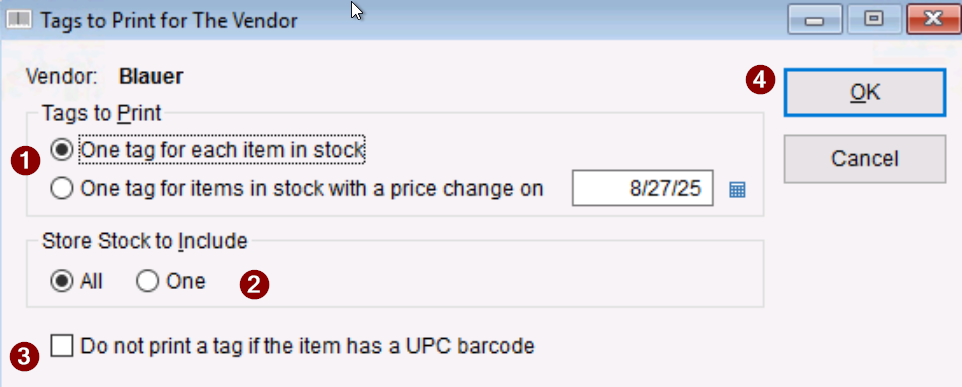
- The Tags to Print for The Vendor screen will appear
- Under Tags to Print, select what tags to print
- Decide which stores to include in the Store Stock to Include section
- Decide whether or not to print a tag for an item that has a UPC barcode by checking/unchecking the option
- Select OK to add the tags to the tag queue