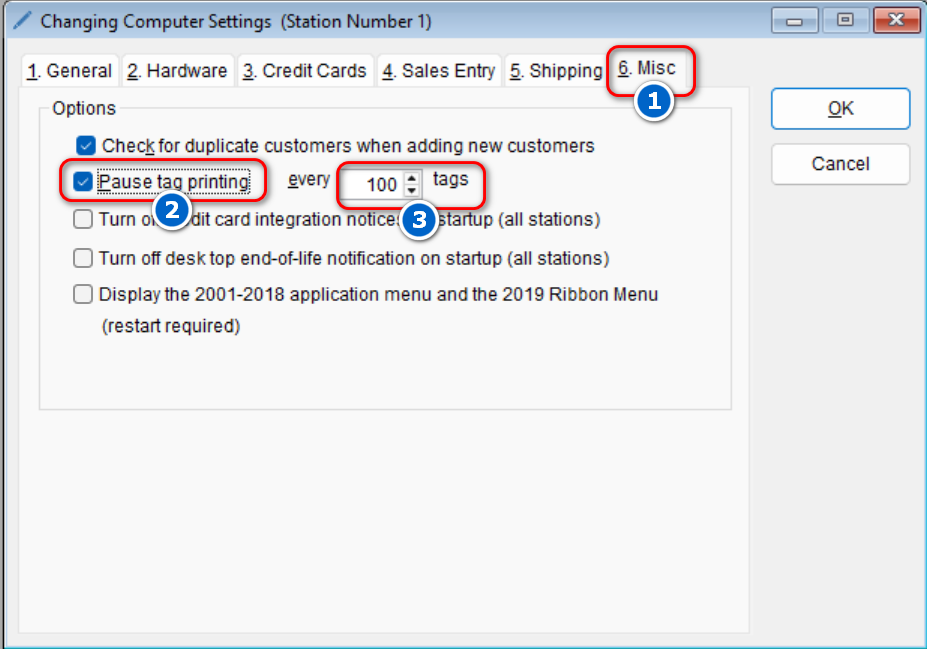
Configuring the program to pause tag printing is simple.
- Go to: Setup > Computer

- Select the Misc tab > Check the option that says Pause tag printing > In the Every field use the up and down arrows to select the desired option
- Select OK to save this change