Requiring a user login before starting or modifying a sale is helpful to tracking in the activity log. If you’d like to require this, we’ll have to modify the program in two places.
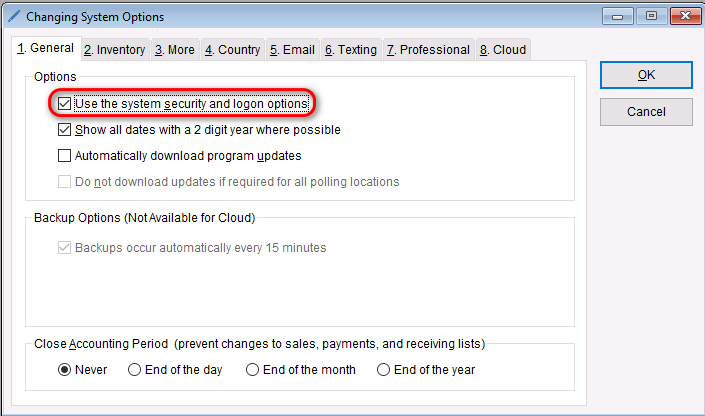
- First, go to: Setup > System Options
- On the General tab under “Options”, check the box that says Use the system security and logon options
- Select OK to save your changes.
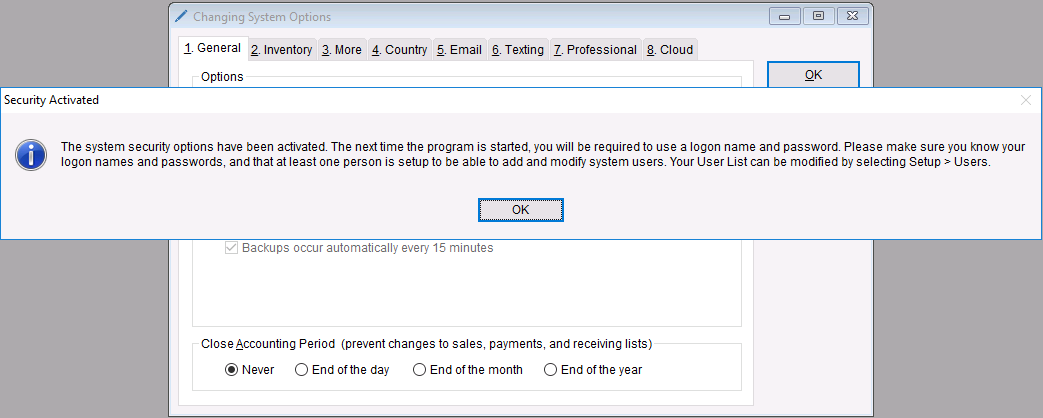
- A screen will appear alerting you that the security options have been activated and that the next the program starts, it will require logins to navigate throughout it. Select OK.
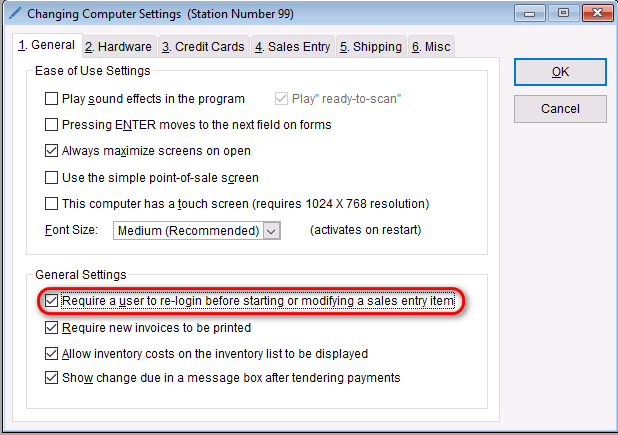
- Now, go to: Setup > Computer
- On the General tab under “General Settings”, check the box next to the Require user to re-login before starting or modifying a sales entry item
- Select OK to save your changes.