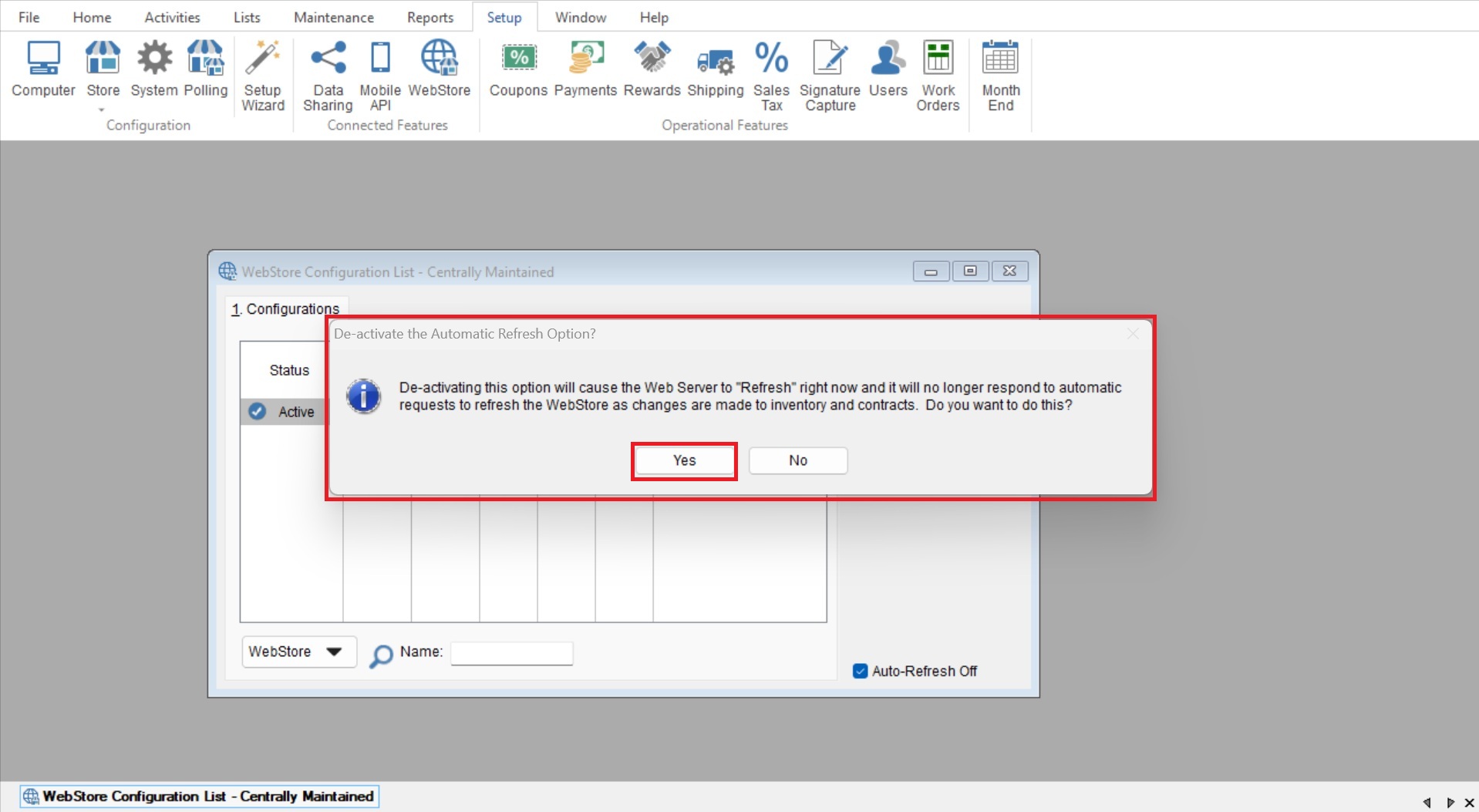
This article will cover how to turn off the Auto Refresh feature for the webstore, this can be helpful when updating webstore settings or contracts without refreshing the webstore once saved.
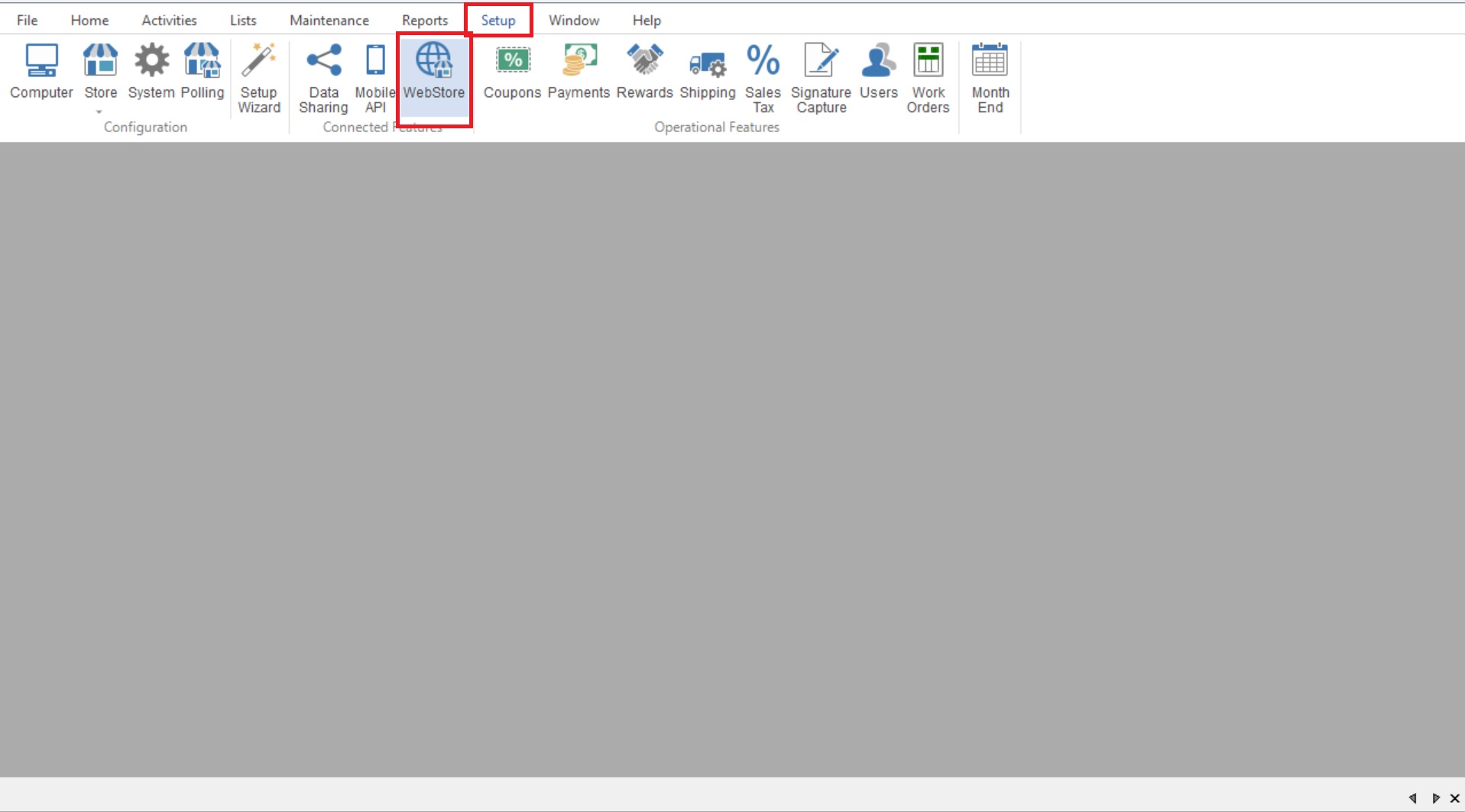
- First you will go to Setup>Webstore to open your “Webstore Configuration List”.
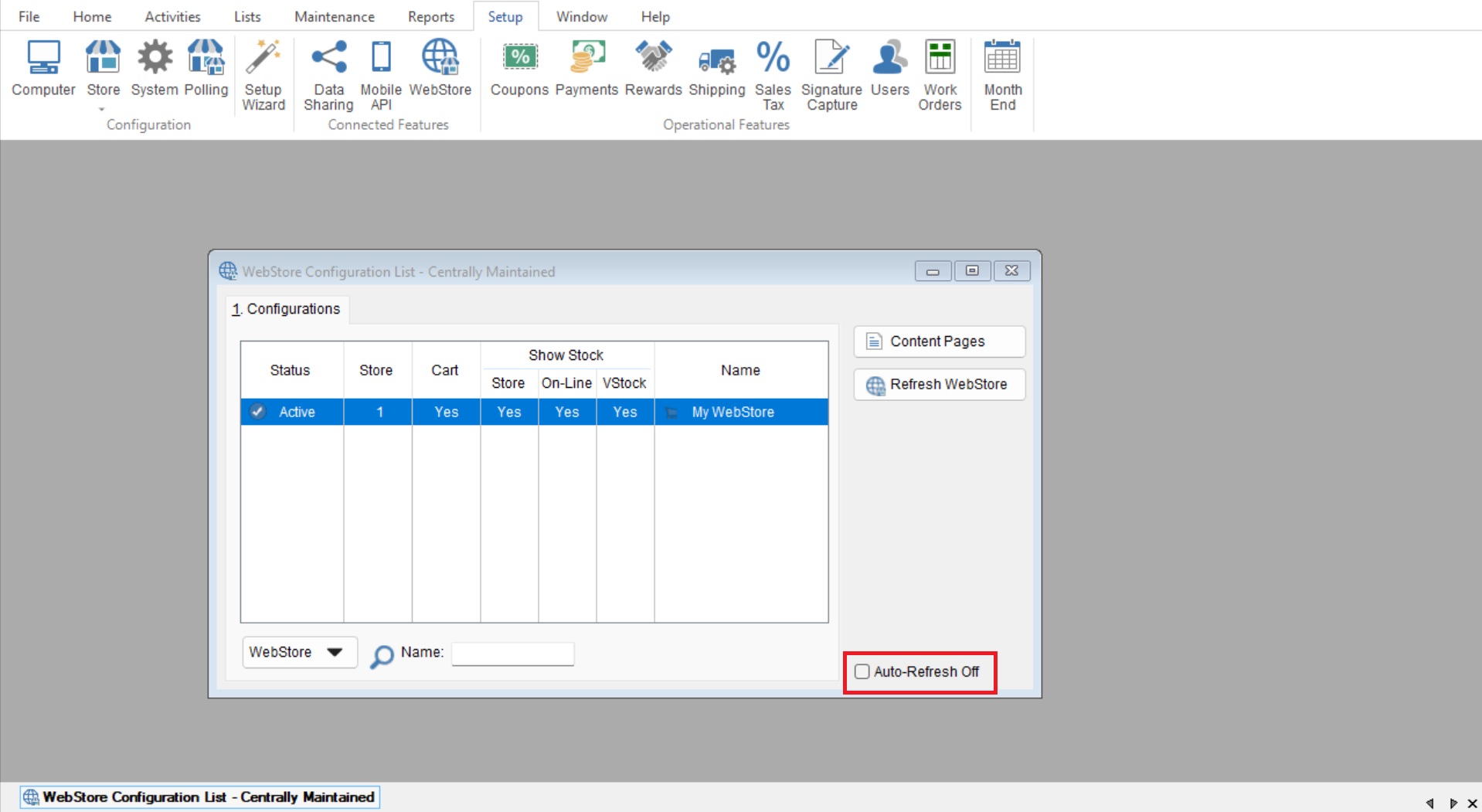
- From here you will check the “Auto-Refresh Off” checkbox.
- Next you will select “Yes” on the “De-Activate the Automatic Refresh Option?” screen to confirm your changes.