
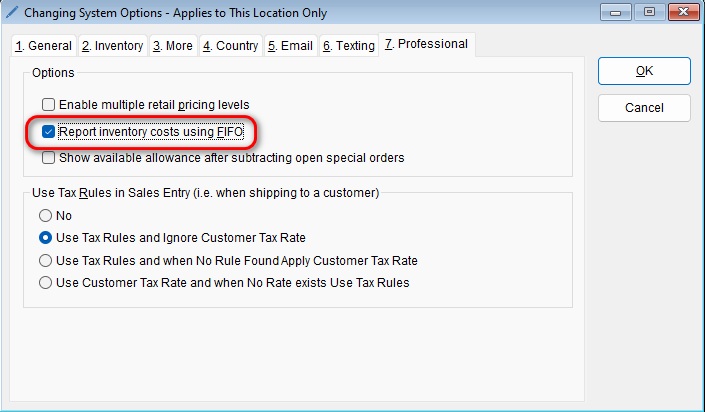
The program allows you to report using FIFO (first in, first out) for accounting purposes. To enable this feature,
-
- Go to: Setup > System Options
- Select the Professional tab > In the Options section, check the box next to the Report inventory costs using FIFO option
- Select OK to save your changes
- Go to: Setup > System Options

How FIFO Affects Inventory Costs
Enabling FIFO changes how the program calculates:
- Cost of Goods Sold (COGS)
- Item unit cost
- Total inventory value in reports
Example of FIFO Calculation
Scenario:
- Purchase 4 items at $10.00 each
- Vendor reduces cost to $9.75
- Purchase 5 more items at $9.75 each
With FIFO Enabled (Average Cost Calculation)
The system calculates an average unit cost:
(4×10.00+5×9.75)÷9=9.86(4 \times 10.00 + 5 \times 9.75) \div 9 = 9.86
- Unit Cost: $9.86
- Total Cost: $9.86 × 9 = $88.74
Without FIFO Enabled
The system uses the most recent cost stored in inventory:
- Unit Cost: $9.75
Total Cost: $9.75 × 9 = $87.75
Important Note About FIFO in the Program
- The system stores cost and quantity for up to three (3) price changes and applies FIFO by selling the oldest inventory first
- If an item’s cost changes more than three times, the system will switch to using average costing for calculations