🧾 WebStore Configuration – Shipping Options
The Shipping Options section in the POS system is used to manage and configure the shipping methods available to customers during the checkout process in the WebStore. This setup ensures that only approved shipping options are displayed to customers, along with accurate names and minimum charges
📍 Accessing the Shipping Tab
To manage shipping options within the webstore:
-
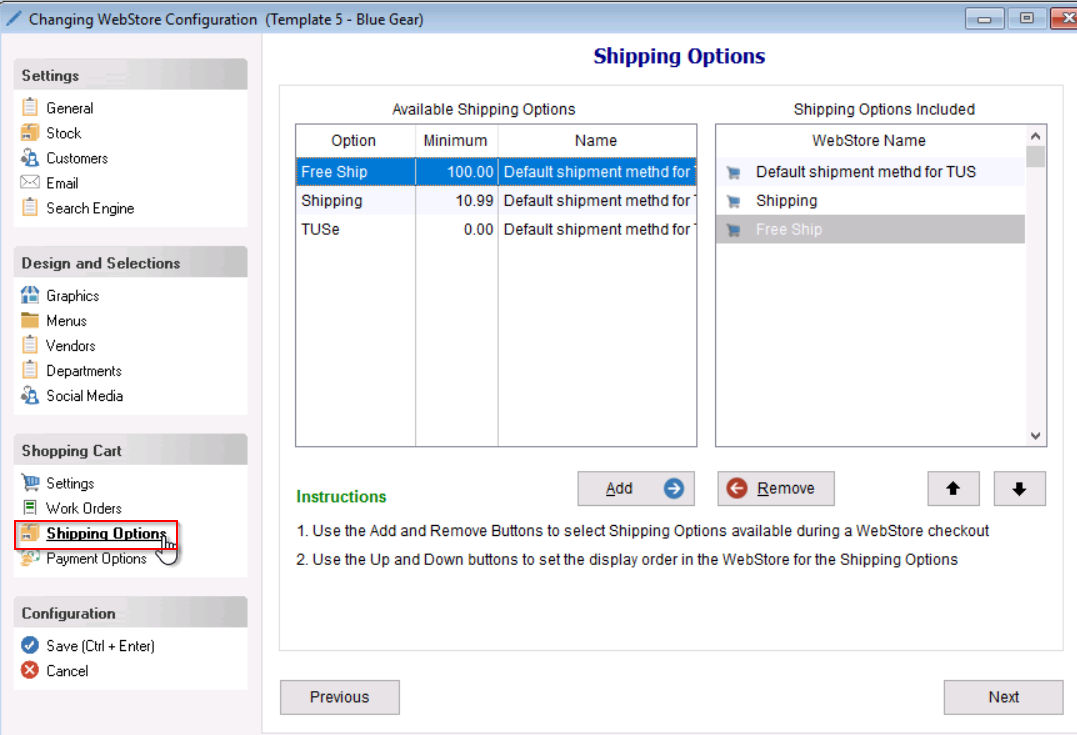
Navigate to your POS system’s WebStore Configuration. You can do this by selecting the setup tab < WebStore < Double click into the active configuration < select the payments tab.
-
Click on the Shipping Options tab.
✅ Adding Shipping Options to the WebStore
The Shipping Options tab is divided into two panels:
-
Left Side: Displays all created shipping options within your Uniform Solution.
-
Right Side: Displays the shipping options currently available on the WebStore.
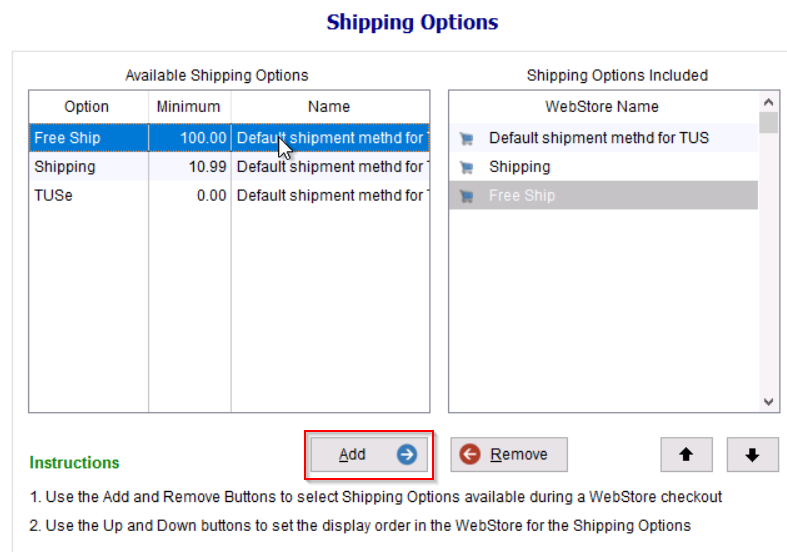
To allow a shipping option to be selected by customers online:
-
Highlight the desired shipping option(s) on the left panel.
-
Click the Add button.
-
The selected shipping option(s) will move to the right panel, making them visible and selectable on the WebStore.
- Save your changes by selecting “Save” on the bottom left of the Webstore Configuration window.
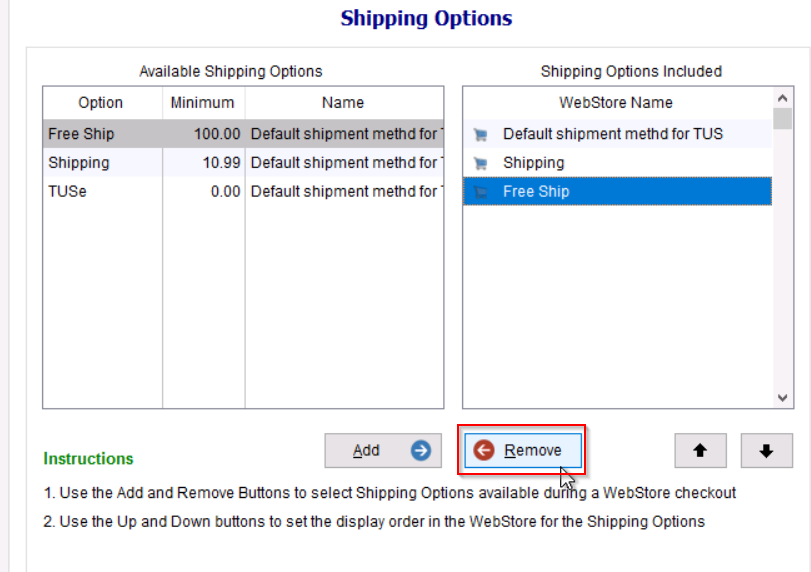
❌ Removing Shipping Options from the WebStore
To prevent a shipping option from being available to customers:
-
Highlight the shipping option(s) in the right panel.
-
Click the Remove button.
-
The selected shipping options(s) will be moved back to the left panel and will no longer be accessible from the WebStore.