
The Uniform Solution allows you to apply discounts to individual items or to an entire transaction directly from the Sales Entry screen. This guide walks you through both methods and includes helpful examples.
✅ Discounting an Individual Item
1. Start a New Sale
Go to: Home > New > New Sale
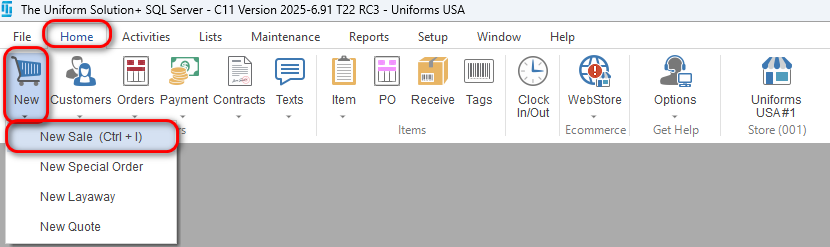
2. Add the Item
- Scan the item’s barcode or manually enter/search for it.
3. Apply a Discount to the Item
- Click into the Scan/Qty field for the item.
- Type the percentage of discount you want to apply.
- Press Enter on your keyboard to apply the discount.
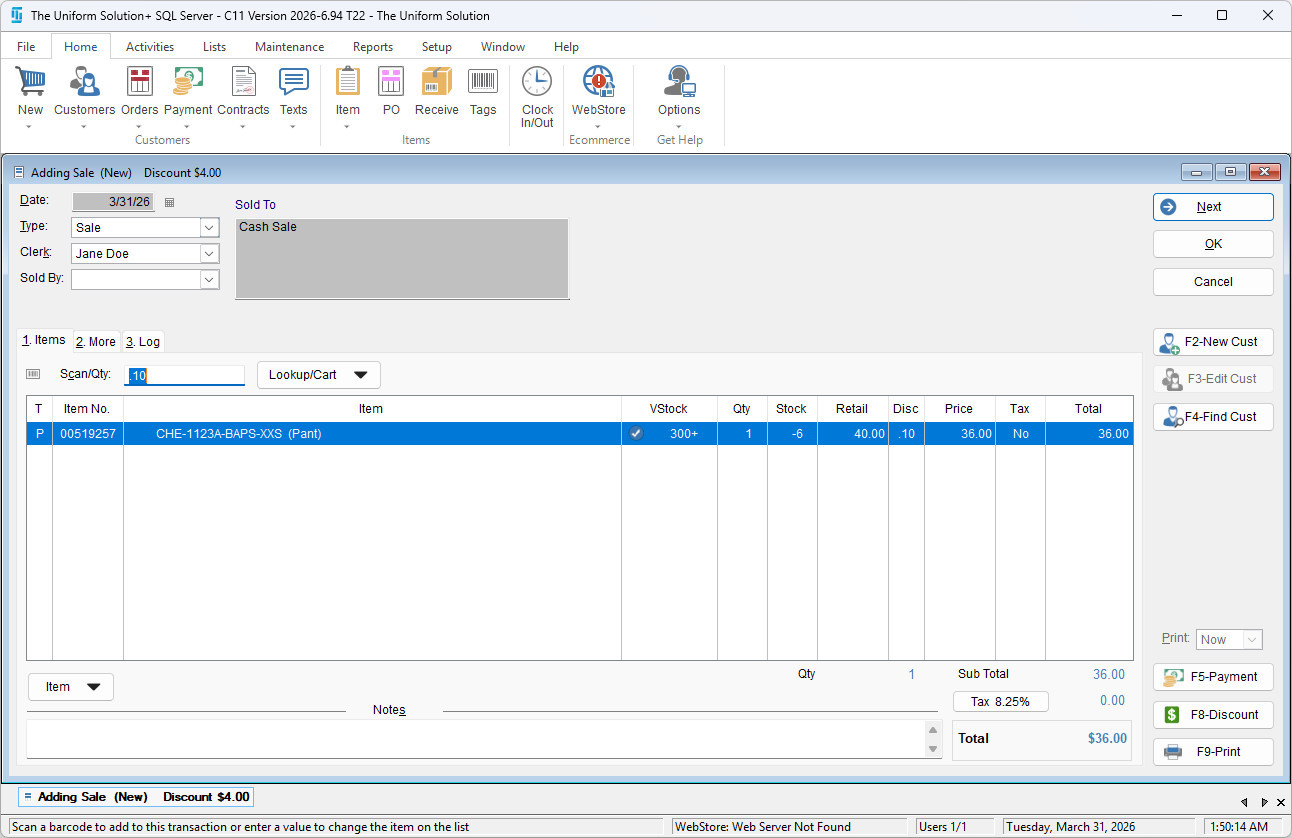
For Example: a 10% discount would be entered in the Scan/Qty field as “.10“
✅ Discounting an Entire Transaction (Quick Discount)
1. Add All Items to the Sale
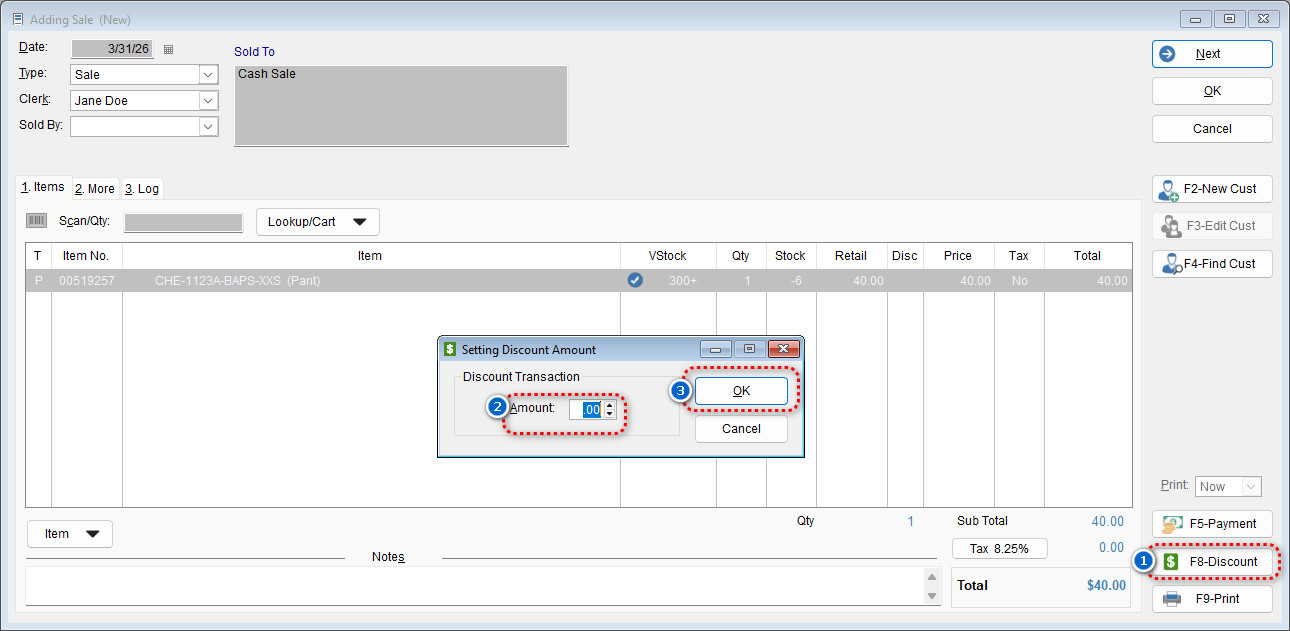
2. Select the F8-Discount Button
3. Enter the Discount Percentage
- In the Amount field, enter the discount percentage you want to apply.
- Select OK to apply it to the entire sale.
Need more help? Visit our Training & Onboarding site, explore the Knowledgebase, or submit a ticket.