-
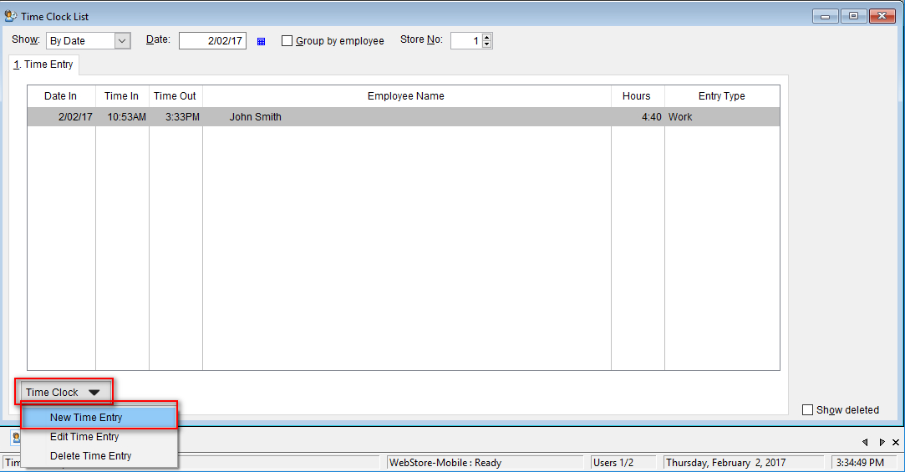
- To manually add a time clock entry, go to: Lists > Time Clock.

-
- Select the Time Clock button and select New Time Entry
-
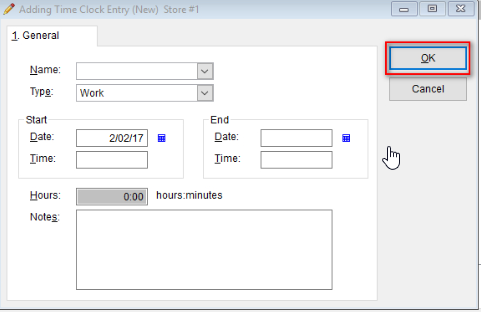
- On the General tab select the desired Name, Type, Start and End (Date and Time)
- Enter the Hours in the proper field and enter any Notes if needed.
- Select OK to save the new time clock entry