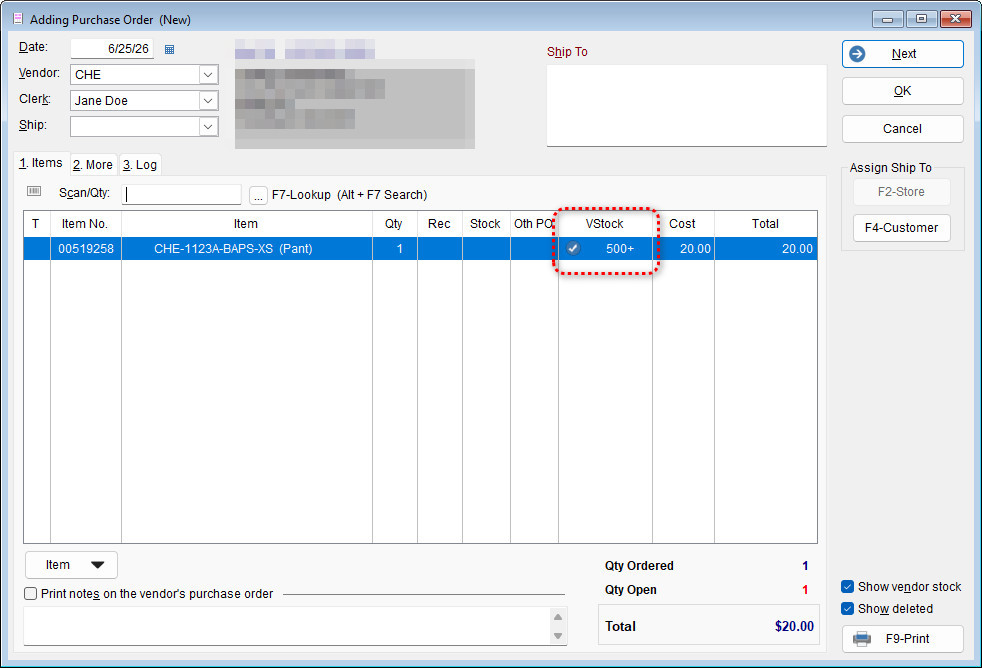
Vendor Stock Reporting is a valuable feature within The Uniform Solution program that allows users to view inventory availability directly from vendors. This functionality provides greater visibility into stock levels, helping streamline sales, purchasing decisions, and inventory management.
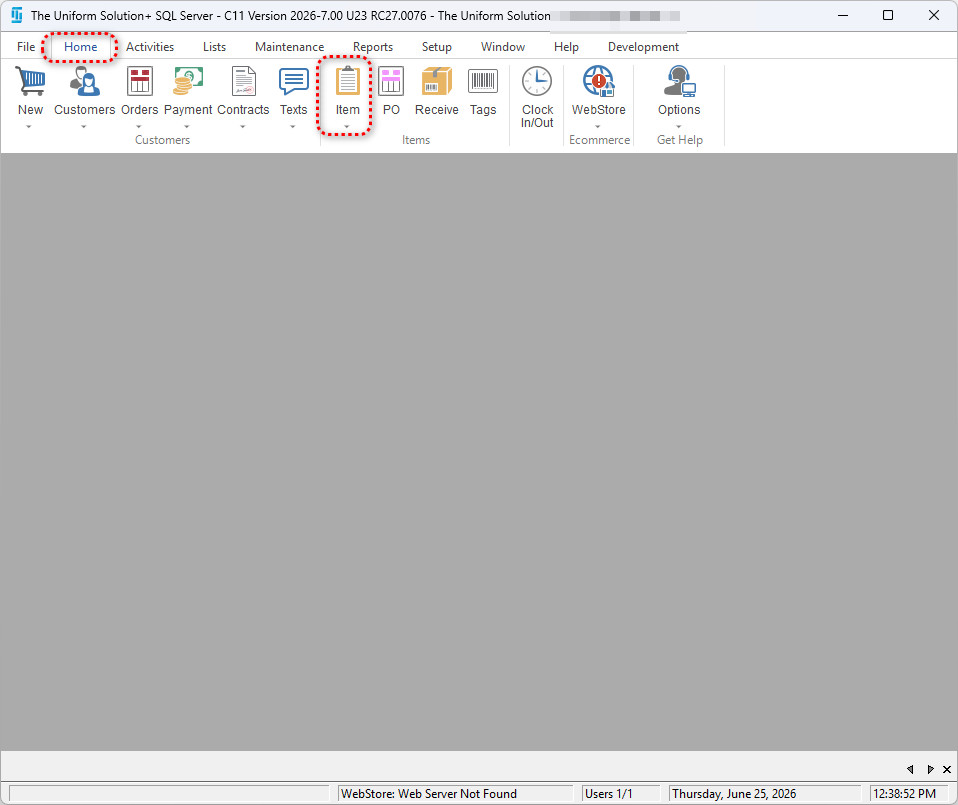
- Navigate to Home > Item
- Within the Inventory list, the option to “Show Vendor Stock” can be selected to enable this feature.
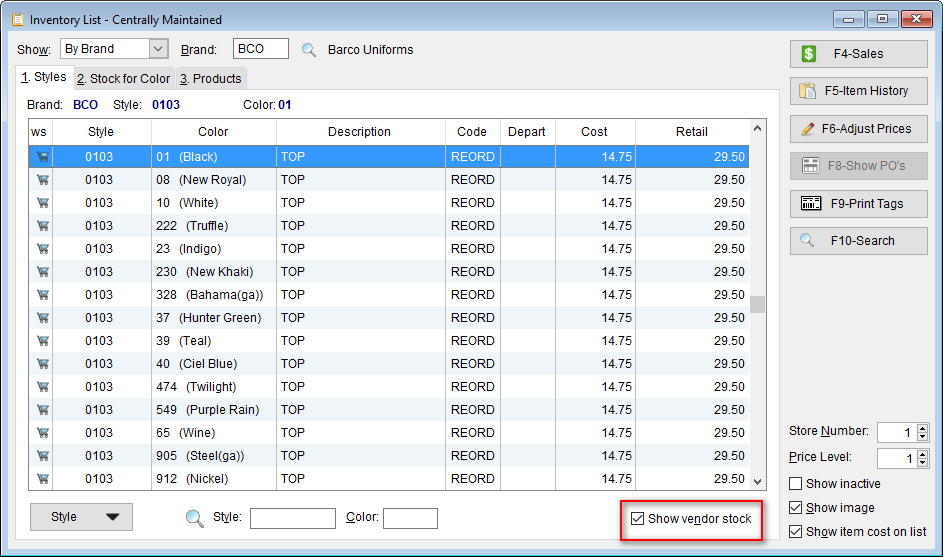
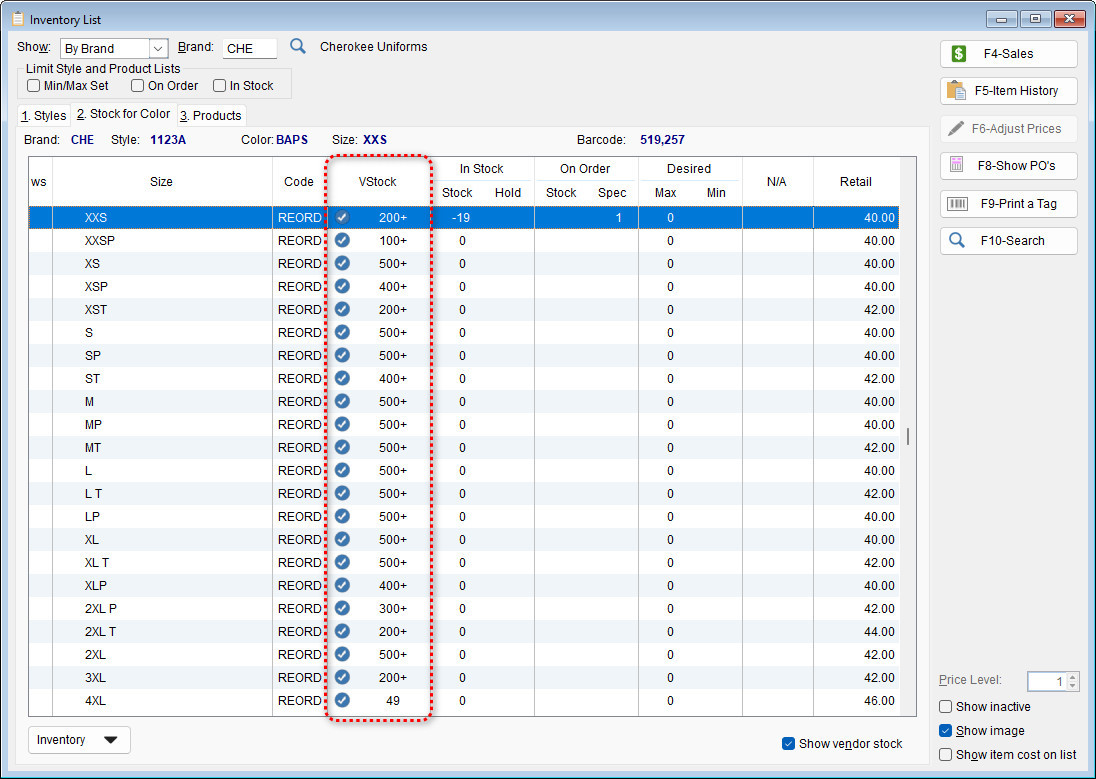
- With the option enabled – you will be able to see the stock available through the vendor within the inventory list, within a sale, and even the PO list.
Inventory List:
- Displays current stock along with available vendor stock
- Allows quick reference when reviewing or managing inventory
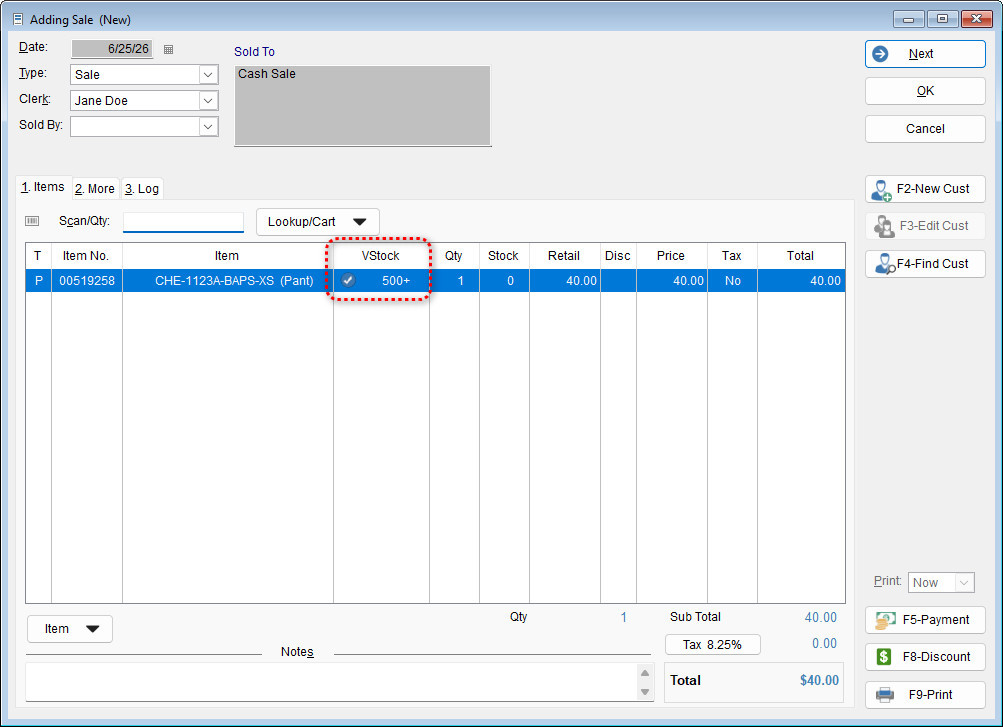
New Sale:
- Shows vendor stock availability during the sales process
- Helps staff provide accurate availability information to customers
Purchase Order:
- Displays vendor stock when creating or reviewing purchase orders
- Assists in making informed ordering decisions