Enabling the program to track cash drawer shifts for multiple users is simple.
- Go to: Setup > Computer
- Select the Hardware tab
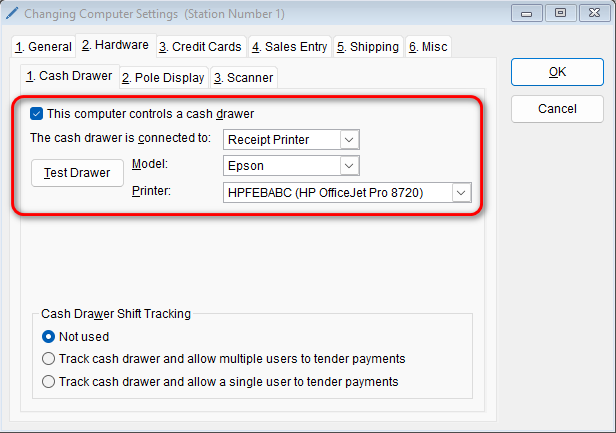
- Check the box for “This computer controls a cash drawer” and select your receipt printer that is connected to your computer if you have one. Click the “Test Drawer” button to verify it is working
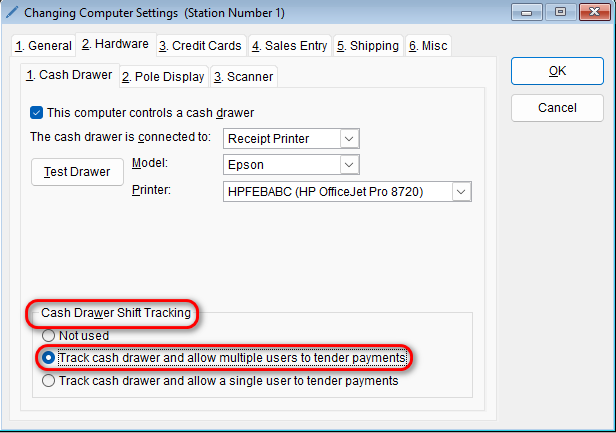
- Under the “Cash Drawer Shift Tracking” section, select the option that says “Track cash drawer and allow multiple users to tender payments”
- Select OK to save your changes