
Internet Speed Requirements and Network Testing Guidelines for The Uniform Solution
To ensure optimal performance with The Uniform Solution and UniformPay, it’s critical to have a reliable and fast internet connection. Below are the minimum speed requirements, testing procedures, and troubleshooting steps.
📶 Minimum Internet Speed Requirements
-
Download Speed: At least 10 Mbps for each workstation/credit card terminal
-
Upload Speed: At least 10 Mbps for each workstation/credit card terminal
🔍 How to Conduct an Effective Speed Test
-
Use the Computer Intended for The Uniform Solution
Test the connection on the actual system you plan to run the software on. -
Connection Method
-
Connect directly to your router via Ethernet cable.
-
Avoid Wi-Fi when testing to ensure consistency.
-
-
Recommended Browser
-
Use Google Chrome
-
Ensure it is fully updated before testing.
-
-
Speed Test Website
-
Visit: https://www.speedtest.net
-
-
Testing Tip
-
Run the test at least 3 times for accurate results, as performance can vary due to network conditions.
-
🛠️ Troubleshooting Inconsistent or Intermittent Network Issues
If you’re experiencing inconsistent results or performance:
-
Test on another device to isolate whether the issue is with your computer, router, or network.
-
Reduce the distance between your router and the device.
-
Consider using a Wi-Fi Range Extender if needed.
-
Check for damaged Ethernet cables and replace if necessary.
-
Clear your browser cache and browsing history.
-
Run a virus scan on your computer.
-
Restart your modem/router.
📞 What to Do if You Don’t Meet the Speed Requirements
-
Contact Your ISP
-
Ask them to evaluate your current plan and hardware.
-
Some routers/modems provided by ISPs may not support the speeds you’re paying for.
-
-
Upgrade Your Plan
-
If your current service doesn’t meet the requirements, consider switching to a faster plan.
-
-
Consider Alternative ISPs
-
If you’re in a rural area or limited by your provider, explore satellite options like:
-
Starlink
-
HughesNet
-
Viasat
-
-
🔐 Network Tests for UniformPay
UniformPay requires specific network ports to be open in order to process payments. Use the tests below to confirm your configuration.
✅ Open Port Test
To verify that ports 443 and 9001 are open:
-
Open PowerShell
-
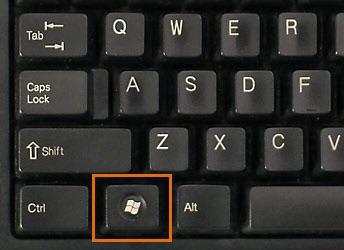
Press Windows + X
-
-
-
Select Windows PowerShell (or PowerShell Admin)
-
-
Test Port 443

-
- Check for:
TcpTestSucceeded: True
- Check for:
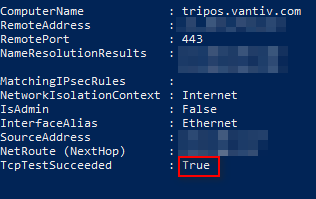
-
Test Port 9001
-
Check for:
TcpTestSucceeded: True
-
If either test fails:
Your ISP may be blocking the port. Contact them and request these ports be opened.
📡 Ping Test (Network Stability Check)
This test checks for packet loss and response consistency.
Steps:
-
Open Command Prompt
-
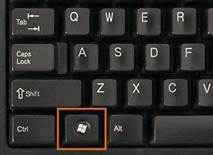
Press Windows + R
-
-
-
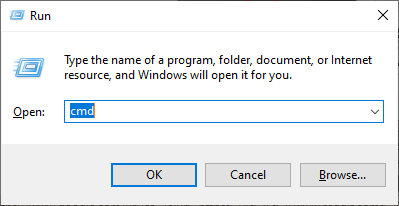
Type
cmdand hit Enter
-
-
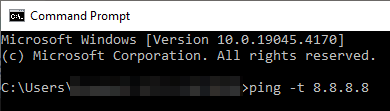
Run the Ping Test
-
Let the test run for 5–10 minutes
-
-
Stop the Test
-
Press Ctrl + C to end the test
-
-
Review the Results
-
Look for:
-
Response Time (ms): Lower is better
-
Packet Loss: Should be 0% ideally
-
-

If the network shows loss of packets or the response time is more than around 30ms:
You will want to reach out to your ISP to check network speed and reliability.
📝 Summary
| Test | Purpose | Passing Criteria |
|---|---|---|
| Speed Test | Confirms internet speed | 10 Mbps+ Download/Upload |
| Open Port Test | Confirms required ports for UniformPay | TcpTestSucceeded = True |
| Ping Test | Checks for packet loss & stability | 0% packet loss, low response time |
For additional support, please contact The Uniform Solution Technical Support Team.