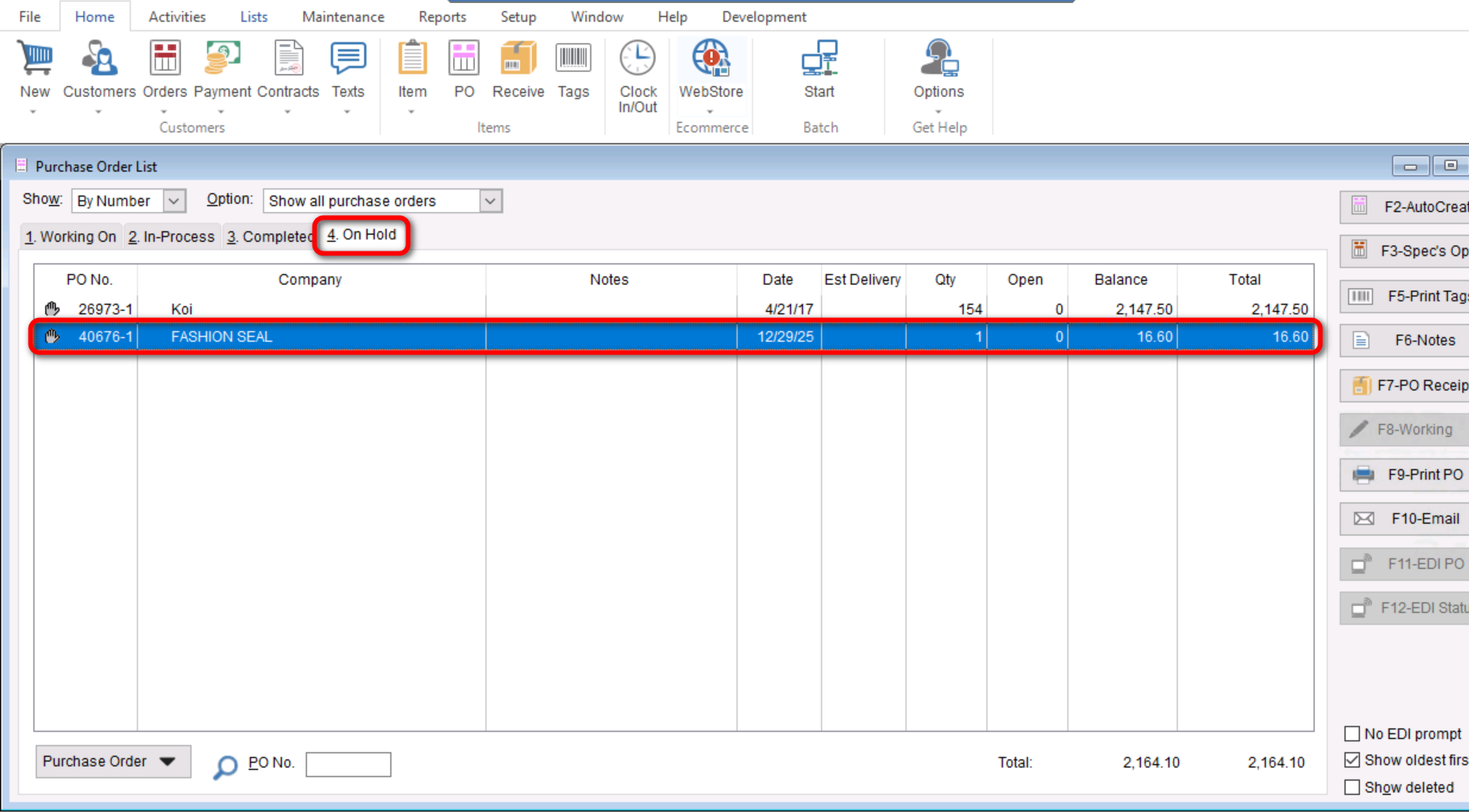
When a purchase order is created but not ready to be sent yet, it can be placed on hold. To put a purchase order on hold. This can be useful when we want to create a PO in TUS without affecting our on-order numbers at the store.
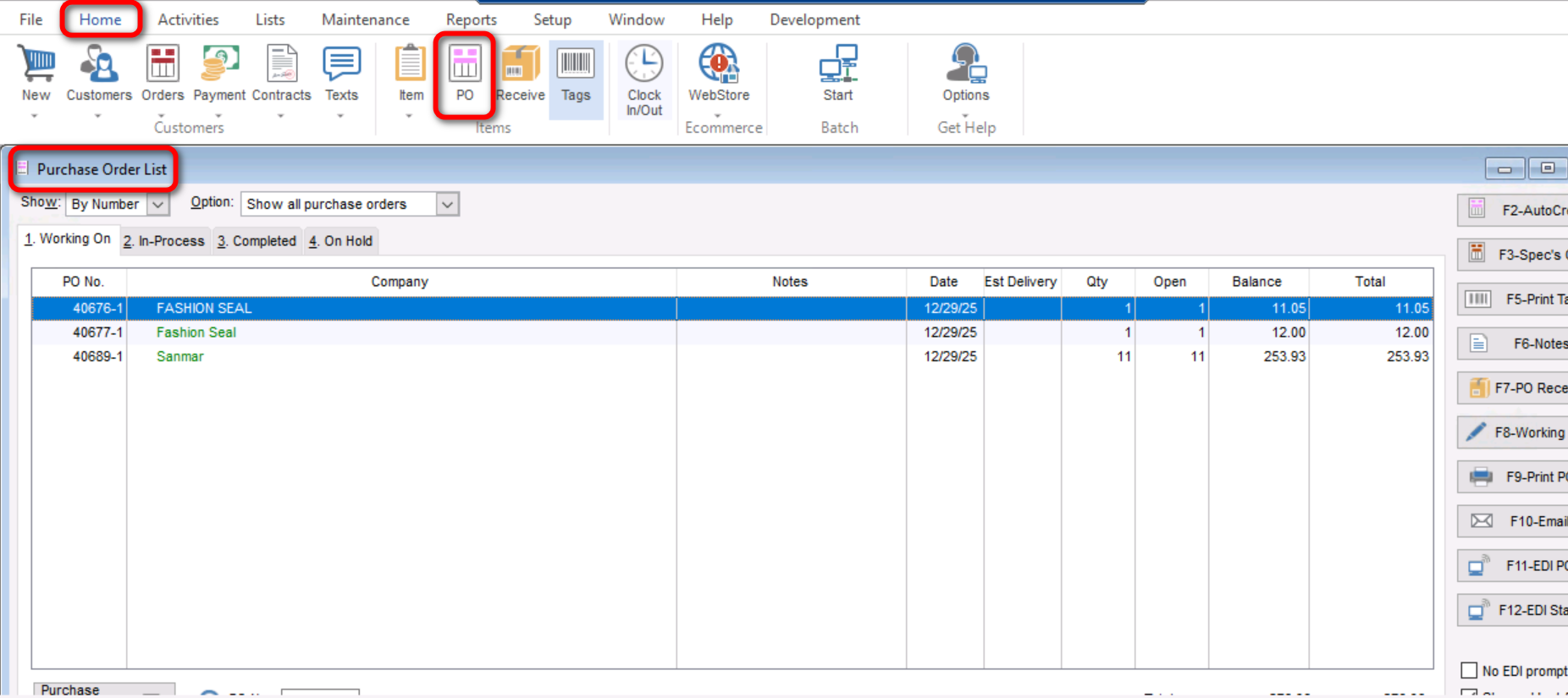
- First you will select “Home>PO” to go to your “Purchase Order List”.
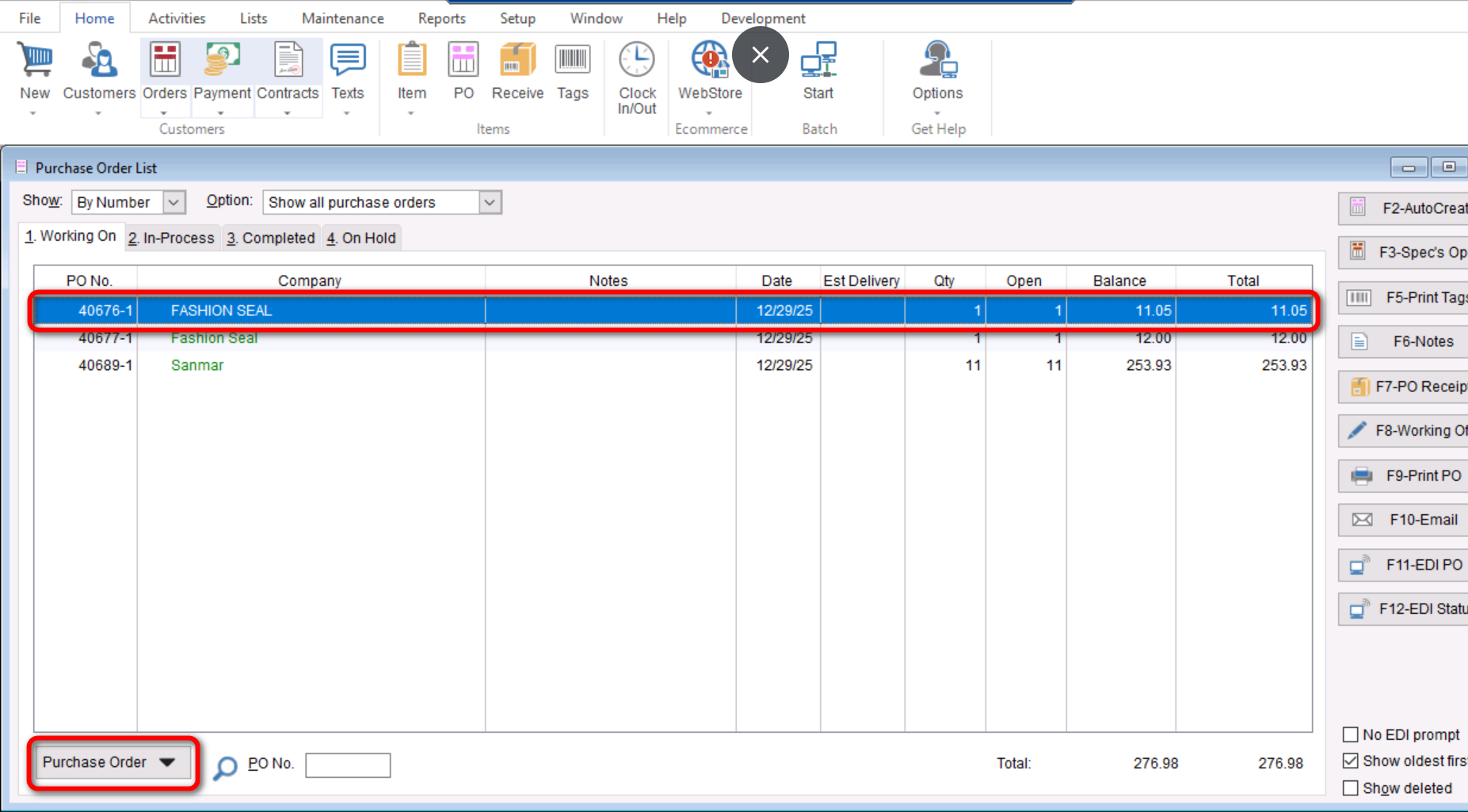
- Highlight the desired purchase order and select “Purchase Order>Hold Purchase Order”.
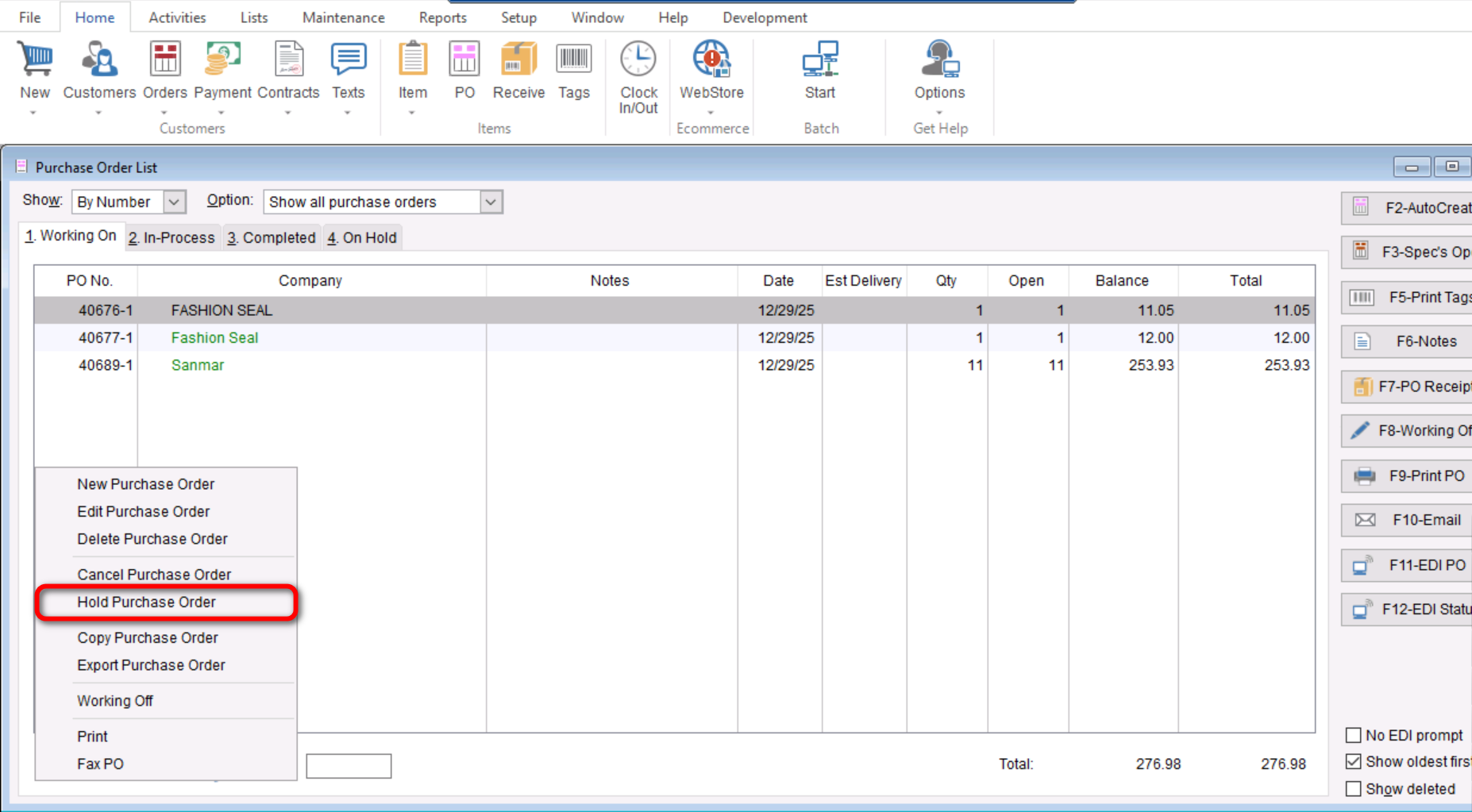
- Once you have select to “Hold Purchase Order” a screen will populate asking if you are sure you want to put a hold on the PO, you will select “Yes” here.
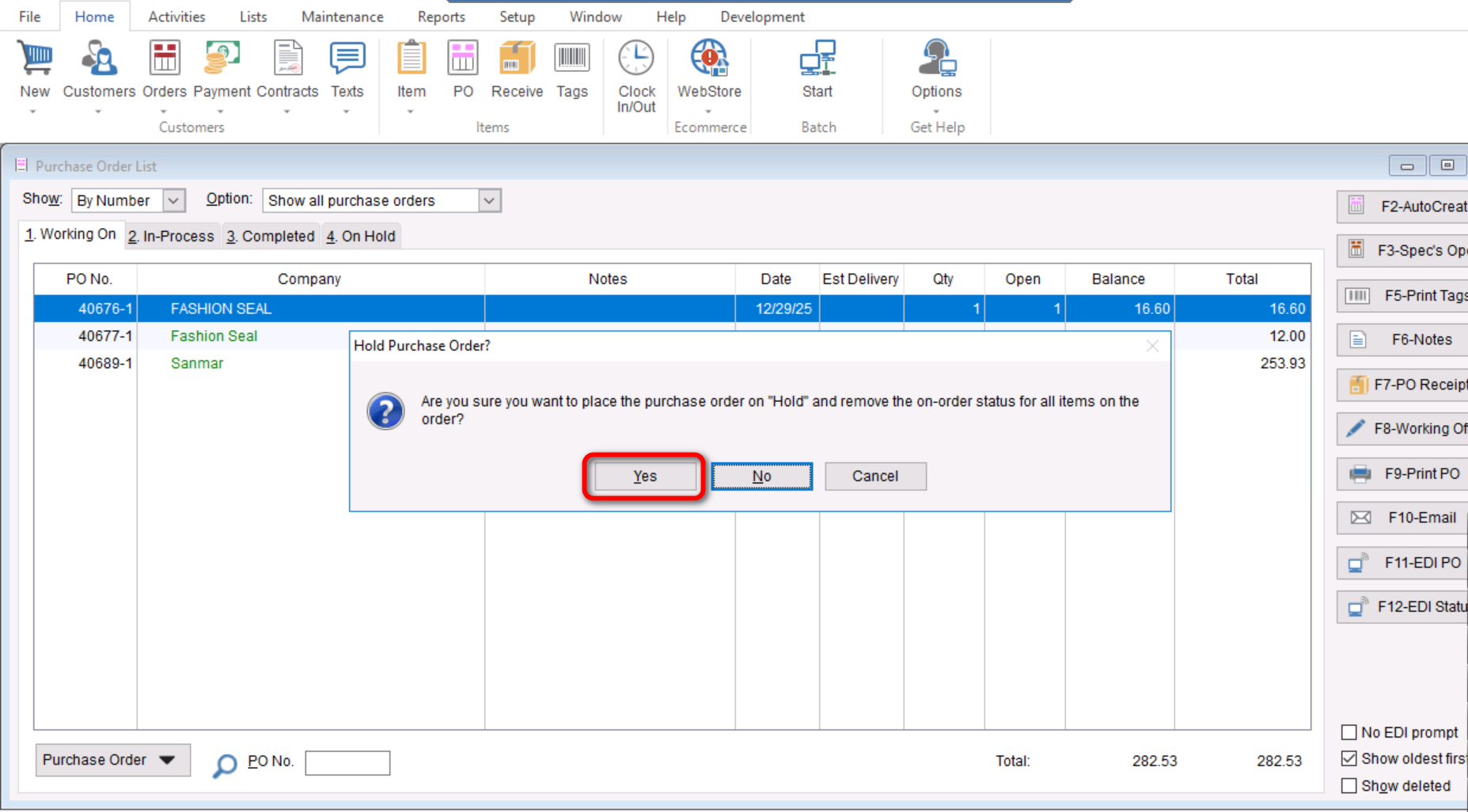
- This will complete the process to put a Purchase Order “On Hold”, you can select “OK” on the screen that follows to fully complete the process.

- If you want to see where you can find your “On Hold” Purchase Order, you can select the “4. On Hold” tab to see all PO’s that have been put On Hold.