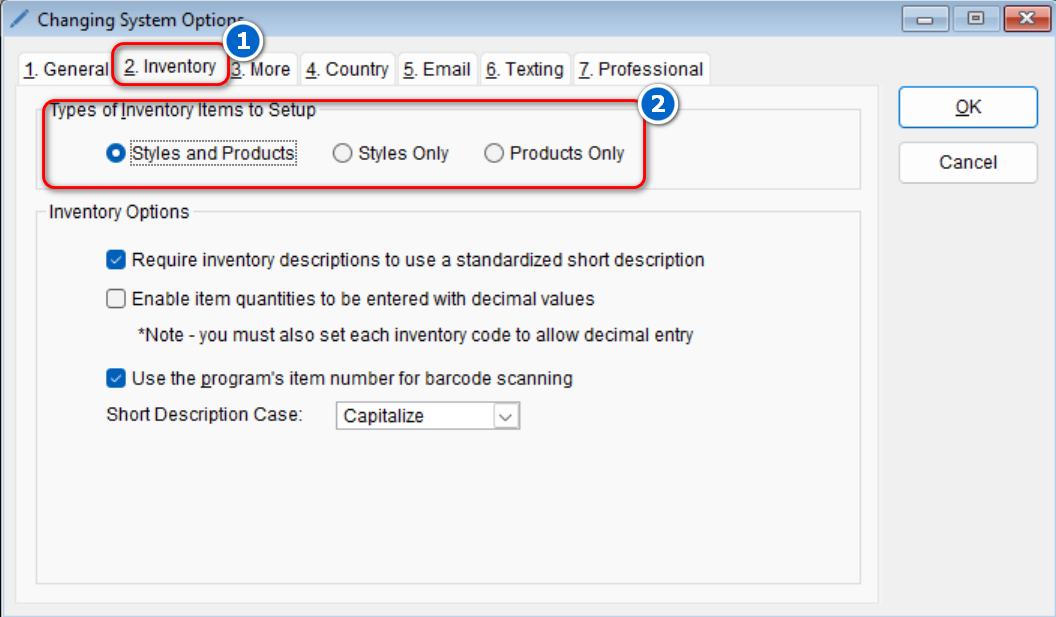
Changing the types of inventory items to setup might be beneficial if you only sell either a product or a style. Changing this configuration will limit any confusion when adding new inventory items. Styles require you to specify a vendor, style, color and a size. Products only require a vendor and a product number.
To make this change in the program,
-
- Go to : Setup > System
- Select the Inventory tab > Under the “Types of Inventory Items to Setup” section, select your desired option
- Select OK to save your changes
- Go to : Setup > System