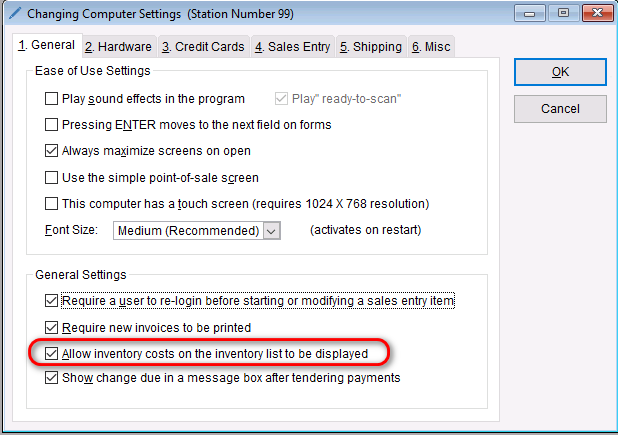
Turning on/off the inventory costs on the inventory list is very simple.
- Go to: Setup > Computer
- On the General tab under “General Settings”, check/uncheck the box that says “Allow inventory costs on the inventory list to be displayed”
- Select OK to save your changes.