
One of The Uniform Solution’s most powerful features is the use of Desired Stock Levels when creating Purchase Orders. By setting Maximum and Minimum stock levels, you ensure that you always have inventory on hand for items you regularly sell.
Setting Your Min/Max Levels
To set your Min and Max stock levels, follow these steps:
• Navigate to: Home > Item
• Select the Brand (e.g., Vendor – MCV)
• Select the Style and Color for which you want to set desired stock levels.
• Go to the “Stock for Color” Tab – This will display the available sizes for the selected color.
• Select the Size you want to modify
• A prompt box titled “Changing Stock Levels” will appear
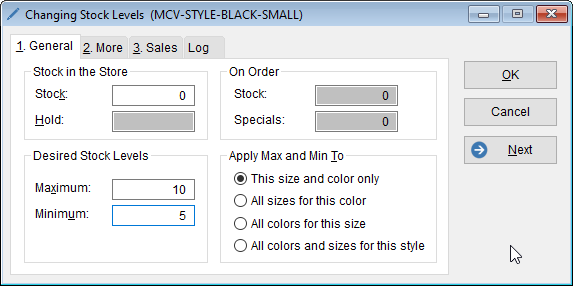
• Enter your Minimum and Maximum stock levels.
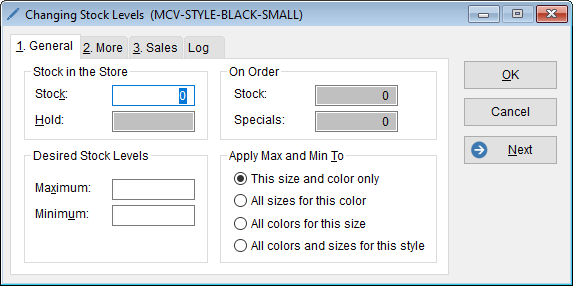
• For example, if you want to maintain a Maximum stock level of 10 and reorder when the stock falls below 5 when using the autocreate function, enter these values accordingly.
• Once set, the Min and Max values will be visible in the “Stock for Color” tab within the Inventory List.
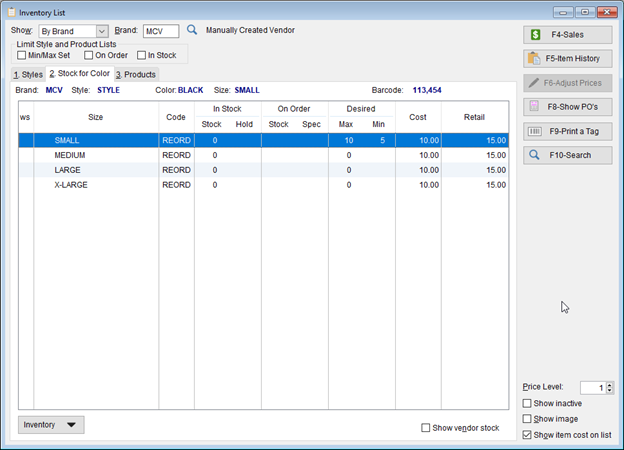
• You now have your Min/Max’s set! You can now use this option to help with inventory management when you’re running low on popular items.
• For example, if you would like to create a Purchase Order because you are running low on stock:
• Navigate to Home > PO > Select AutoCreate.

• The Auto-Create Dialog Box will appear.
• Ensure the option “Inventory below desired stock levels” is selected.
• Select the vendors you want to include.
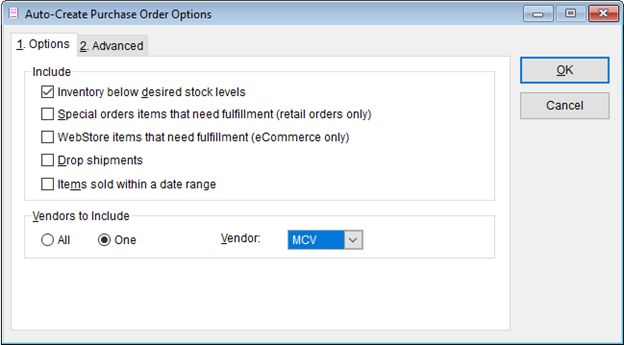
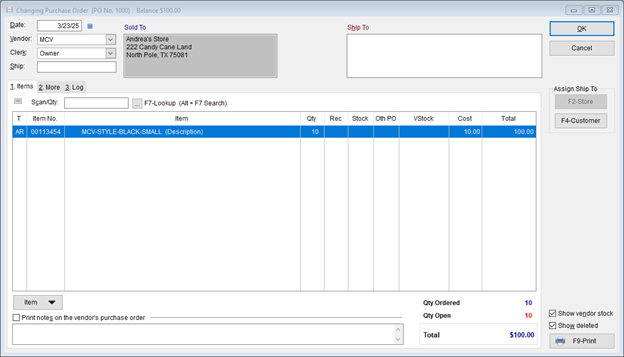
• Click “OK” to generate a purchase order that replenishes stock up to the maximum quantity set.
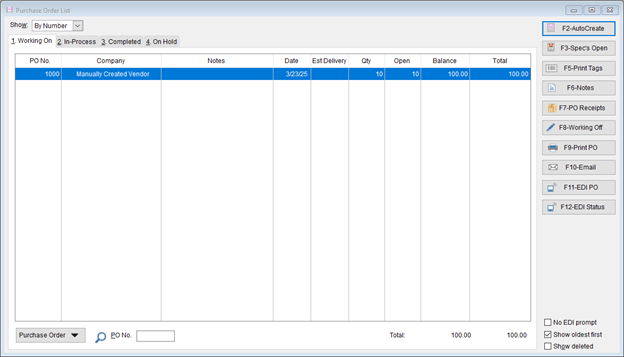
• You can then verify the items that were added into the purchase order will add enough of the item to meet your Maximum amount set.
• By implementing Min/Max stock levels, you optimize inventory management and maintain a steady supply of essential items. This feature helps automate replenishment, ensuring your store remains well-stocked at all times.
📌 Need more help? Visit our Training & Onboarding site, explore the Knowledgebase, or submit a ticket.