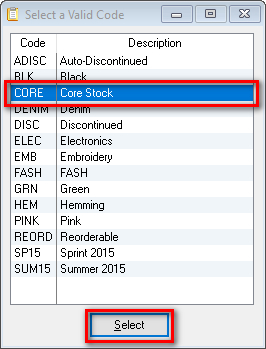
Mark an Item ‘Discontinued’ Quickly mark a desired item discontinued by going to: Select Item Double-click the desired item On the General tab in the Current Color and Code section select the magnifying glass next to the Code field Highlight DISC – Discontinued and click Select Select OK to save your changes Related Updated on August 8, 2017 Tagged: discontinuediscontinue items Was this article helpful? Yes No Related Articles Email Setup & Configuration Guide – The Uniform Solution Set An Inventory Code to Allow Decimal Entry How to Export your Inventory Report Inventory Costs Using FIFO Pull Items From Stock Enable Multiple Pricing Levels