
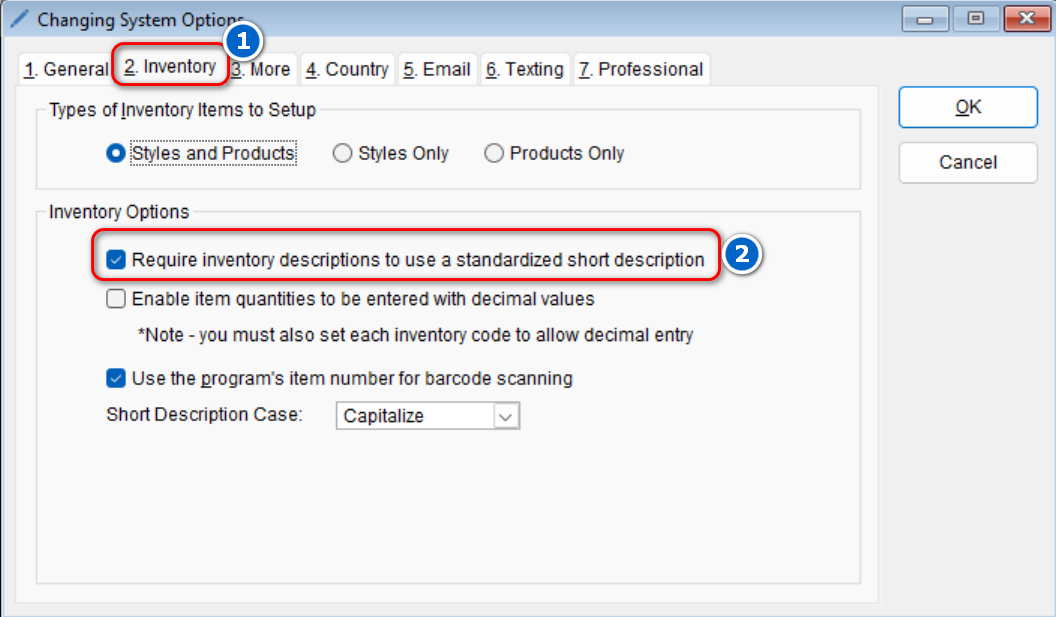
Inventory descriptions in the inventory list default to use standardized short descriptions. If you would like to change the program to not require this,
- Go to: Setup > System

-
- Select the Inventory tab > Under the “Inventory Options” section, uncheck the option that reads Require inventory descriptions to use a standardized short description
- Select the Inventory tab > Under the “Inventory Options” section, uncheck the option that reads Require inventory descriptions to use a standardized short description
- Select OK to save your changes