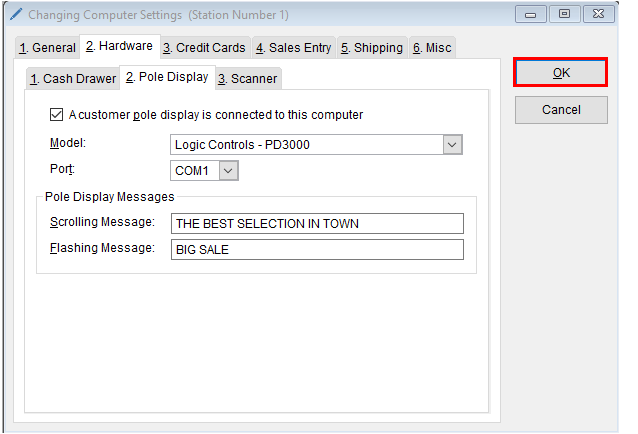
Configuring a pole display to work with the program is an easy process.
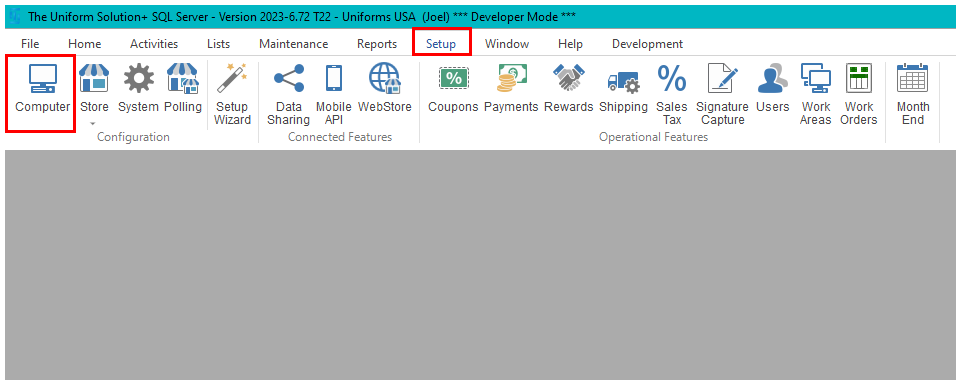
- Start by going to: Setup > This Computer
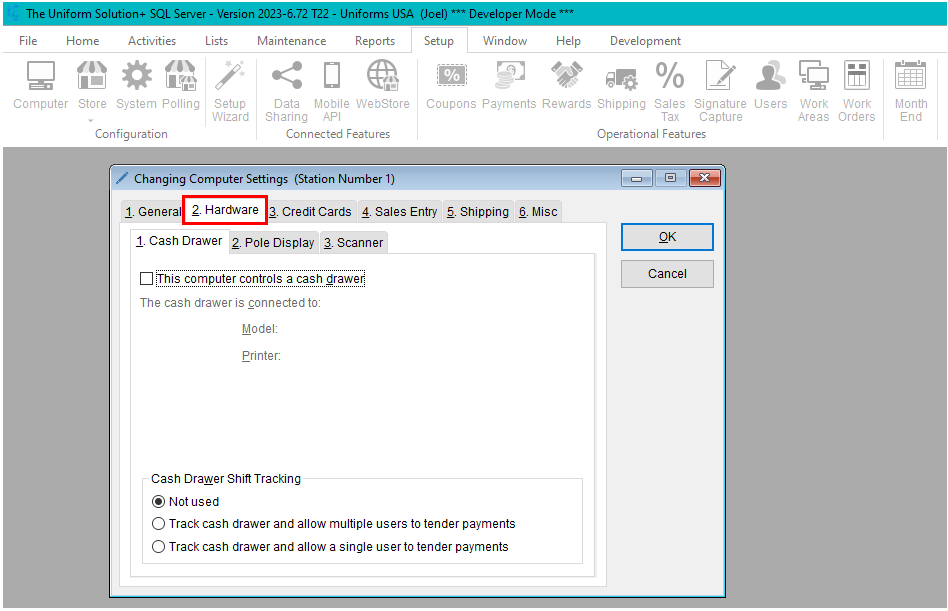
- Select the Hardware tab
- Select the Pole Display tab
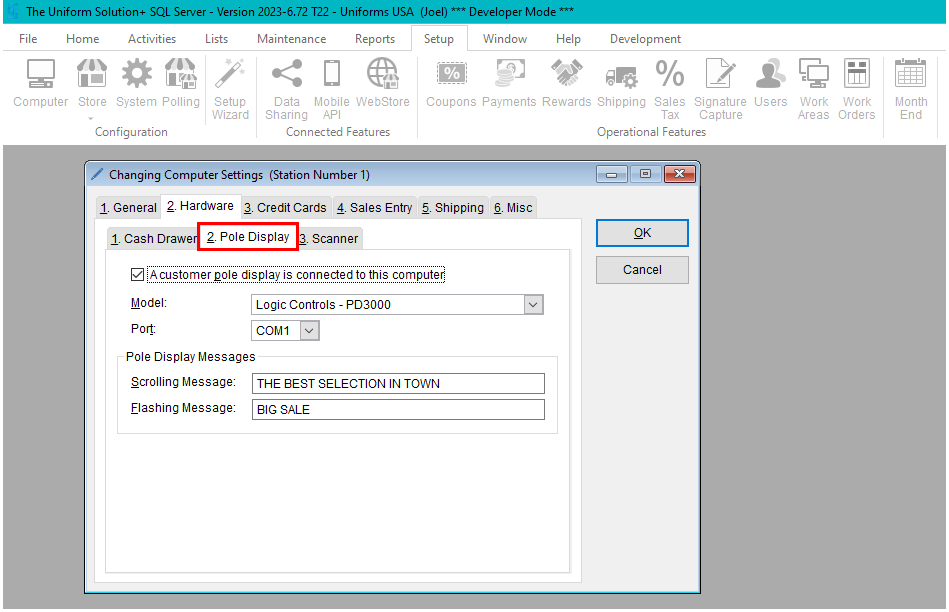
- Check the A customer pole display is connected to this computer
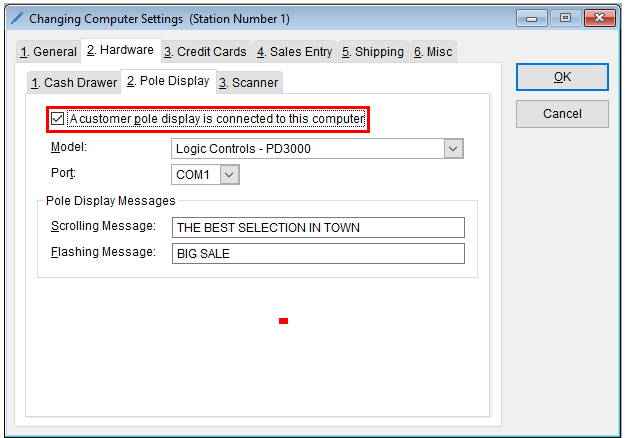
- Select the correct Model and Port
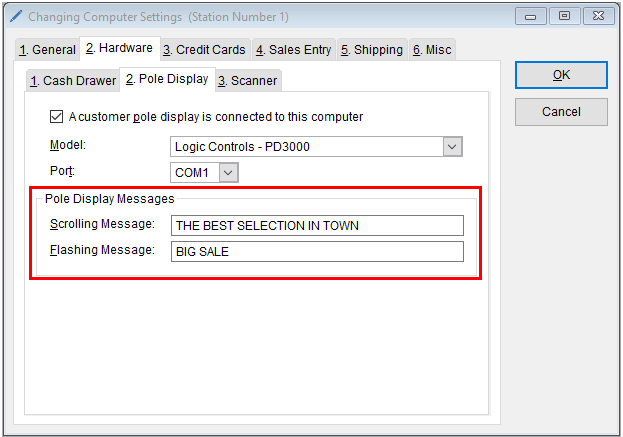
- In the Pole Display Messages section, enter your desired Scrolling and/or Flashing messages
- Select OK to save your changes