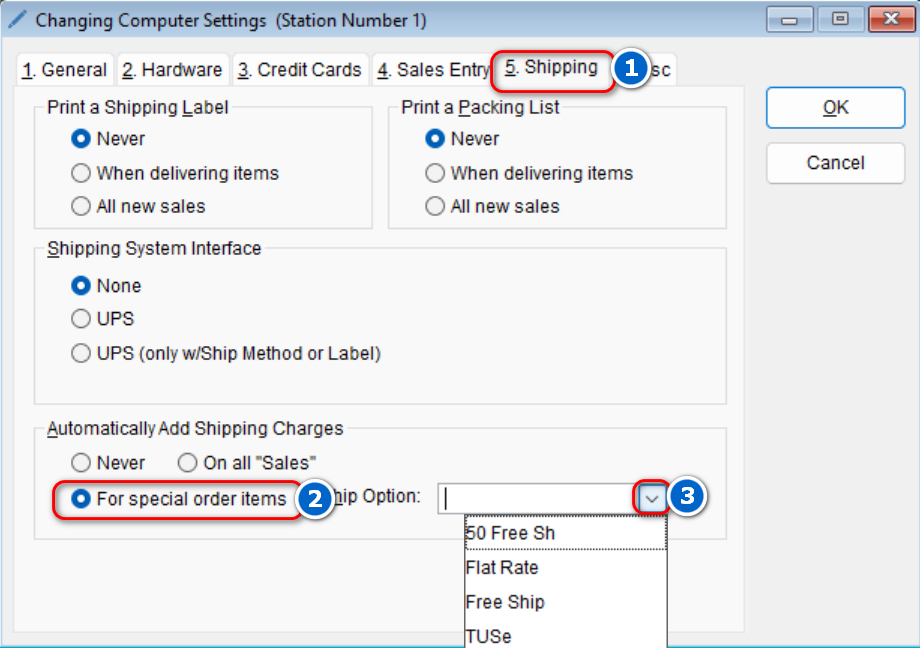
The program can automatically add shipping charges if desired. To configure the program to do this,
- Go to: Setup > Computer

-
- Select the Shipping tab > Under the “Automatically Add Shipping Charges” section, select the desired option > then select the drop-down next to Ship Option to select the desired shipping charge
- Select OK to save these changes
- Select the Shipping tab > Under the “Automatically Add Shipping Charges” section, select the desired option > then select the drop-down next to Ship Option to select the desired shipping charge