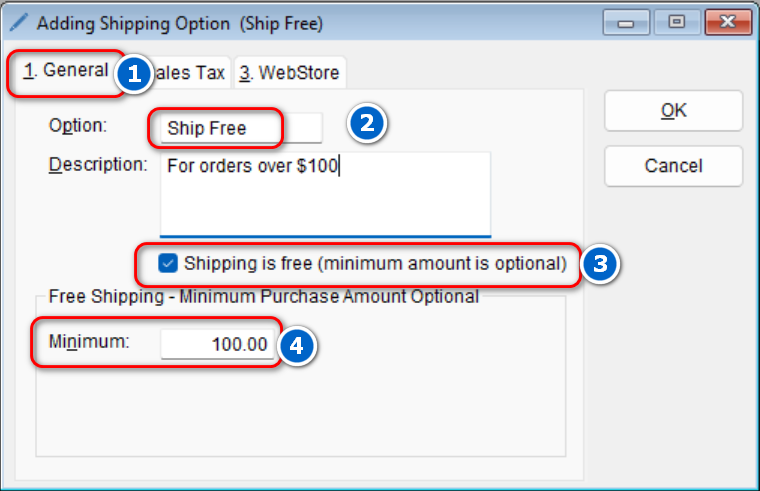
Many retail stores will offer free shipping when a customer spends a certain amount. It has been proven to increase ticket size. Configuring your program to offer free shipping when a customer spends a certain amount is fairly easy and will go along way.
- To get started, go to: Setup > Shipping Options

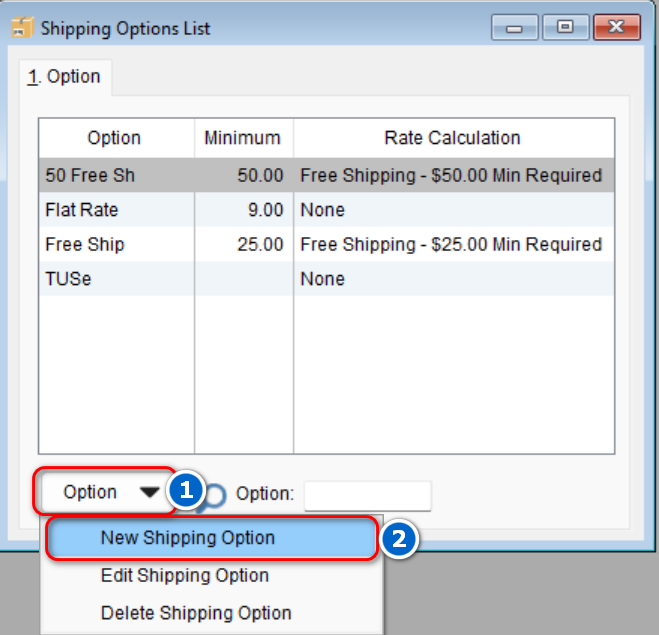
- To create a new shipping option, select Option > New Shipping Option or double-click an existing option to open the record
-
- On the General tab, enter in the name you want to call this shipping option > check the option that says Shipping is free > add in a minimum amount (this is optional)
- Select OK to save your changes
- On the General tab, enter in the name you want to call this shipping option > check the option that says Shipping is free > add in a minimum amount (this is optional)